


Knowing how to upload files in Zenphoto is a fundamental skill. In this guide, we share how to go through the process and manage your project and media library quickly and easily.
Step 1: Log in to Zenphoto
The first step in the process is to log in to Zenphoto.
Step 2: Navigate to the Upload Section
Once logged in, via the Zenphoto admin panel, head to the Upload tab:

Step 3: Choose an Album or Create a New Album
After you have accessed the Upload tab, you can select to create a new album for your images or upload them to an already existing one.
- To use an already existing album, select one from the drop-down menu.
- To create a new album, give it a name and description, and hit Enter.
Step 4: Upload Your Files
Now that you have selected an album to use, it is time to upload your media files to Zenphoto. To do so:
From the Upload tab, click Browse (or Choose Files, the name depends on your Internet browser):
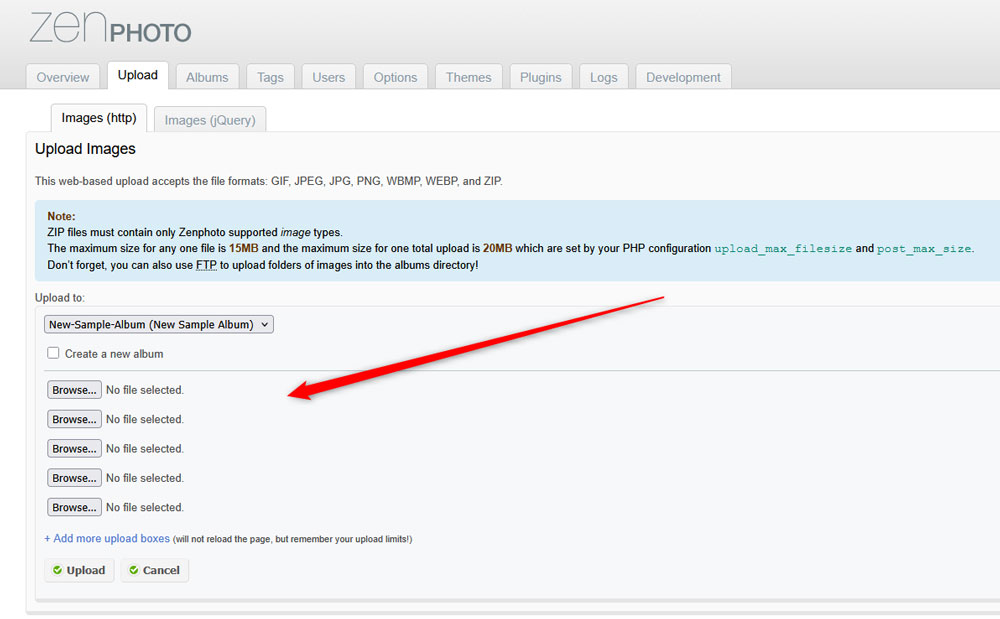
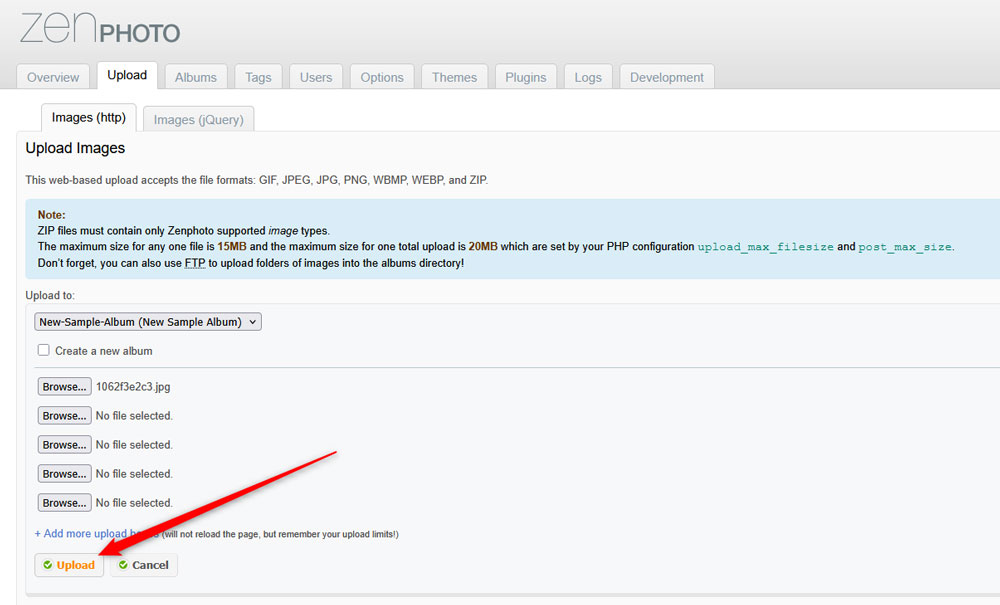
Now, select the images from your device, and then click on Upload:
Step 5: Add Image Details
Now that your images are uploaded to Zenphoto, you can add details such as image title, description, select file owner, and others:
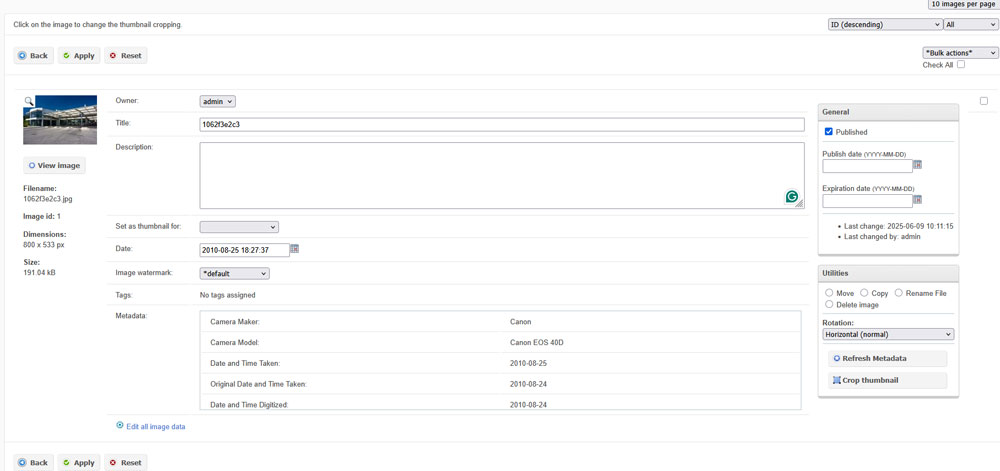
After you are finished, click on the Apply button, so Zenphoto applies and saves your changes:
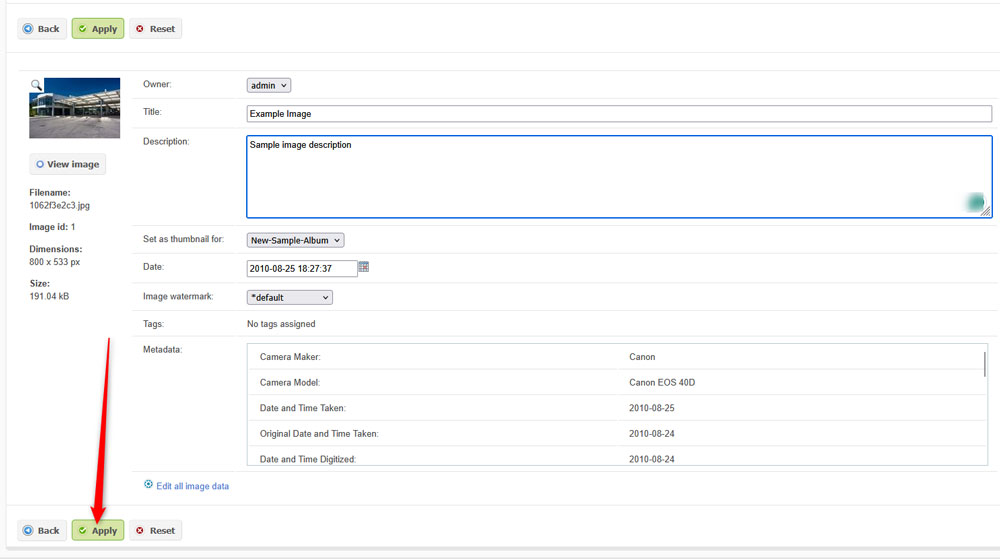
Now you have successfully uploaded images to Zenphoto.
Conclusion
Learning how to upload files in Zenphoto is important for your project. Whether you upload only a several images or numerous video files, Zenphoto makes it simple for you.







Hey I know this is off topic but I was wondering if you knew of any widgets
I could add to my blog that automatically tweet my newest twitter updates.
I’ve been looking for a plug-in like this for quite some time and was hoping maybe you would have some experience with something like this.
Please let me know if you run into anything. I truly enjoy reading your blog and I look firward to your new updates.
I’m really inspired together with your writing abilities as
neatly as with the layout in your blog. Is that this a paid
subject matter or did you modify it your self?
Either way keep up the nice high quality writing, it’s
rare to see a great weblog like this one these days..
Hey I am so glad I found your web site, I really found
you by mistake, while I was looking on Google for
something else, Nonetheless I am here now and would
just like to say cheers for a tremendous post and a all round enjoyable blog (I also love the theme/design), I don’t have time to look over it
alll at tthe moment but I have saved it and also added your
RSS feeds, so when I have time I will be back
to read a great deal more, Please do keep up the superb work.
I pay a quick visit everyday a few sites and sites to read posts, however this webpage gives feature based articles.
Hi there, just became alert to your blog through Google, and found that it’s truly informative.
I am gonna watch out for brussels. I’ll appreciate if you continue this in future.
Numerous people will be benefited from your writing.
Cheers!
I love it when folks get together and share ideas. Great blog, stick with it!
My brother suggested I would possibly like this website.
He was entirely right. This submit truly made my day. You can not imagine just
how a lot time I had spent for this information! Thank you!
Appreciate the recommendation. Let me try it out.
Это позволяет читателям самостоятельно оценить представленную информацию и сделать информированные выводы.
Asking questions are genuinely nice thing if you are not understanding something fully,
except this article offers pleasant understanding yet.