

 |
| TET2d Avatar Image created with Dzine. |
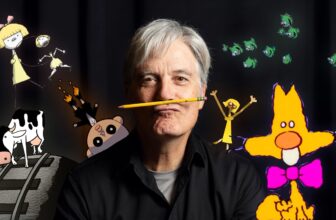
Regular readers of Animation and Video Life will be familiar with my alter ego, 2D avatar character, TET, who is both the face of The Lazy Animator Cartoon Animator Tutorials, and is currently part of my Resident Dragon joke cartoon series.
It is my goal to use him as an animated avatar for both my Lazy Animator video courses and my Cartoon Animator tutorials that you’ll find on my @AnimLife YouTube channel.
Unfortunately I don’t have the time to animate him for every single project. Even with Cartoon Animator’s time-saving workflow I wouldn’t be able to produce animated content quick enough. Which is why advances in AI animation is something that is increasingly more interesting to me each day.
Consistent Characters
Before we get there I have to overcome one of the biggest hurdles in AI I’ve come across… reproducing my art style consistently. I don’t want an approximation of my characters, I want my characters looking the way I might draw them.
To that end I’m trialing two paid, all in one, AI design sites, OpenArt and Dzine. Both are said to have the best character consistency training models right now. Both work in a similar way. Upload four or more images of your character. The AI will study these, and from then on you’ll be able to prompt for your character just by including their name in prompts.
 |
| Collage of TET Avatar images cropped from my Resident Dragon Joke Cartoons. Note that these have been cropped for space. Images where you can see more of TET’s suit were originally full body images submitted for the AI Training. |
OpenArt Character Output
To find out how well the training went I entered a simple prompt. Note that I named my avatar ‘TET2d’, and the prompt was, “@TET2d standing in a relaxed pose on a neutral gray background.“.
 |
| Two initial generations of TET2d from OpenArt using my simple prompt. |
With OpenArt, they say the first image is crucial. As can be seen from my first two generations the character’s head is a near copy of my first data set image. This appears to be very true as every generation featured TET without his signature glasses unless I specifically prompted for them.
For some reason OpenArt thinks my character has a short body, which isn’t correct.
Dzine Character Output
 |
| Two initial generations of my TET2d avatar from Dzine using the same prompt. Much closer to mine, and it’s good to see neither generation is just a direct copy of the first image. |
In general, Dzine did a much better job with training. Trained on the same images and using the same simple prompt, my avatar, though still with slightly incorrect proportions, looked pretty close, and I didn’t even have to prompt for glasses.
Tweaking the Output for Accuracy
It’s not uncommon with character consistency to tweak your prompt, even on a trained character, to get them that final way toward looking like your actual character art. If you find something that works then you keep that prompt and use it in every generation.
Try as I might, I could not get OpenArt’s model to the correct proportions and, even if I directly stated I wanted my avatar to wear his circle glasses, they were not always included.
Dzine was not nearly so tricky. One minor tweak to the character description prompt (which remains with the character model) and I was good to go.
 |
| Top Row: OpenArt Images after tweaking the prompt to try and get proportions correct. These were the best three from many attempts. Bottom Row: Dzine images with the character model description very slightly tweaked for a larger head. Last image demonstrates Dzine’s hand correction tool. |
 |
| TET2d Character reference from Dzine used to generate an image of TET2d at a computer on OpenArt. |
Initially I thought OpenArt was going to be my go-to tool for character consistency but Dzine seems to do a better job at matching my line art, without doing just a straight copy of the training images.
That said, I took one of my Dzine images to use as a reference on OpenArt, and produced an image of TET2d using his computer. Maybe there’s a case for using both – I just don’t know if I want two paid subscriptions?
Did you find this article useful?
Subscribe to my newsletter and get the
latest articles delivered to your inbox.