

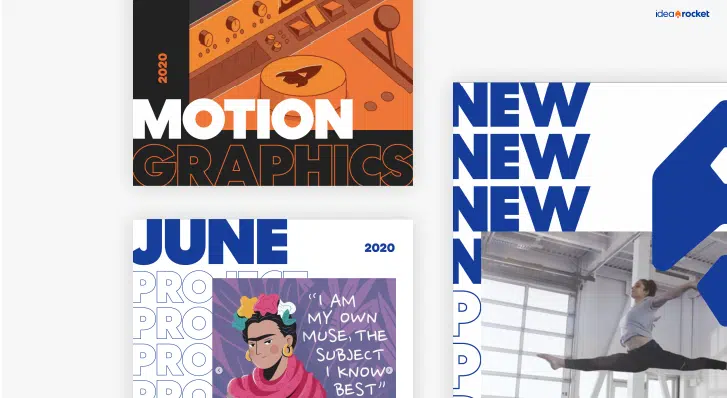
Although most companies have a rule book for how their brand shows up in flyers and ads, far fewer have developed a video style guide. That’s an issue because straying from your brand can weaken brand recognition and message recall. If you’re creating video for your business, you need video branding guidelines.
A video style guide can help your brand:
- Stay consistent across the internet, from YouTube to TikTok
- Be recognized and remembered by customers
As video creators, we love to see a brand with a thoughtful video style guide. It usually means that the project will run smoothly and the end result will serve the client well. With that in mind, here’s how to develop a video style guide step by step.
Display Your Graphic Identity
If you have a general brand style book, this part should be easy. You may already have a consistent style you use in print and online. Many of those guidelines can be copied directly to your video style book.
Elements to consider:
- Typefaces
- Colors
- Additional graphic elements, ex. quote boxes, framing devices, or underlining devices
- Style or feel, ex. modernist and sleek or classical and elaborate
- Photo treatments, ex. desaturated, lightly tinted, or duotone
Keep in mind that you might have to modify your style to work for video. A typeface that looks great in print might be difficult to read on a video screen, for example. Use your existing guidelines as a starting point, but don’t be constrained by them.
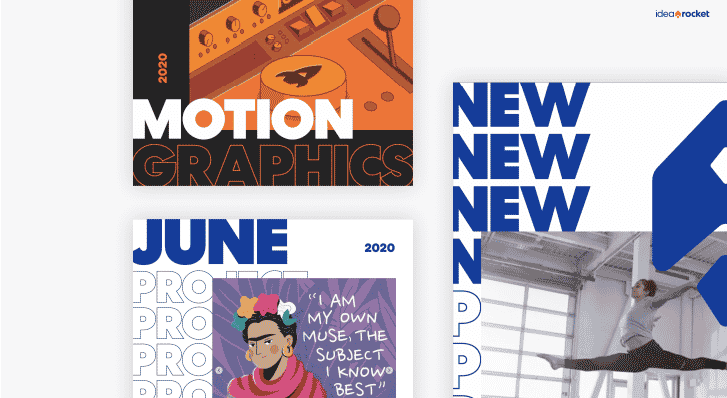
Identify Your Brand Voice And Personality
Again, your brand voice and personality might already be mentioned in your brand book. Because video is a story-telling format, video makers might need a more detailed explanation to hit the right notes.
Start with the overall brand voice. Identify where it falls on a spectrum from casual to formal. Define how your brand will use humor. Are you comfortable with puns, sarcasm, snark, situational humor or none of the above?
Next, think about how you want to relate to your customers. Some brands aim for entertainment (think Geico commercials) while others focus on conveying information. Some use technical words and jargon to appeal to those already in the know, while others are more plain-spoken and approachable.
Define Your Footage For Reuse
You shouldn’t have to recreate animated logos, bumpers and other branding elements from scratch every time you make a video. Save and reuse them to create brand consistency across your videos. Your branding guidelines can include links to reusable footage elements, or directions for where they can be found.
Reusable footage might include:
- Bumpers: footage at the head or tail of the video identifying your brand.
- Logo animation: an animation that builds your logo onto the screen.
- Lower thirds: a text treatment (and sometimes a background) for titles identifying a speaker on screen.
If you don’t already have these, make them and store them in an easy-to-find place. Over time, you can also collect a proprietary library of stock footage. This could include video of your company headquarters, your people at work, or important events. Categorize these clips neatly in one place so they’re easy to find.
Learn more about choosing the right stock footage.
Select Your Audio For Reuse
Audio may not be defined in your current brand book, but it definitely should be included. Audio adds atmosphere and emotion to your content. Using audio consistently can create continuity across platforms.
Try to specify:
- Music, either specific pieces or tone and mood
- Theme song or jingle if you have one
- Branded sound effects
Think of the drum beat and fanfare that accompanies the 20th Century Fox logo. You would probably recognize it even without visuals on screen. Audio branding doesn’t even need to be musical: think of the static and choral tone of the HBO ID.
Learn more about choosing the right music for marketing videos.
Set Casting Guidelines for Actors and Voiceover
Define your expectations for actors and spokespeople. Think about whether you prefer to work with union or non-union actors. What does the “voice” of your brand sound like? You might even choose a few video or audio clips that represent the style you’re looking for.
Consider:
- Age
- Gender
- Attitude
- Accent
- Culture
None of these characteristics need to be set in stone, but they can give you a starting point when auditioning actors.
Learn more about how to cast voiceover artists.
Choose the Best Techniques for Your Brand
Different techniques convey different ideas about your brand. Traditional 2D animation may seem warmer and more playful. Motion graphics tend to be more message focused. Stop-motion gives a DIY feel.
List approved styles in your video style book. If possible, include samples from previous projects or other media that illustrate what you’re looking for.
Here are some popular video techniques:
Learn how to choose the best animation style for your brand.

Develop Animated Character Guidelines
Character design is a key part of many animated videos. Consider what character styles best match your brand and describe them in your brand guide. You don’t have to have a character fully designed, just consider the broad strokes. A set-in-stone character style may lock you into a single provider or price point that might not always make sense for you.
Consider the differences between the character designs below. Both represent the IdeaRocket brand. The ones on the left are from our Founder’s Story. The ones on the right from the Kite video. These two styles are different, but they share a posture and expressiveness that marks them as IdeaRocket designs.

Get our quick guide to animated character design.
Specify Video Formats and Other Tech Specs
The format of your video will depend on how you plan to use it. Include acceptable technical specifications for different video types in your brand guidelines. Consider:
- Web: 1080p is good for nearly all web uses
- Social media: vertical video with a 9:16 aspect ratio tends to be the standard, but it depends on how you’re using it
- Events: 1080p or 4K video for large-screen projection
- Internal and Broadcast TV: Ask the broadcasting outlet about delivery specs
For each of these end uses, you should define the following technical specifications:
- Resolution, such as 1080p, 4K, or higher
- File format, such as MP4 or QuickTime (MOV)
- Codec, such as H.264 or ProRes 4444
- Audio specifications, such as 48Khz Stereo
- Bitrate
- File-naming convention
Most providers deliver finished files that aren’t easy to edit. If you need editable project files, say so in your style guide and tell your provider up front, since they can add cost.
Dive deeper into video formats and technical specifications.
Outline Digital Distribution Guidelines
Your brand guidelines aren’t the place to lay out a full video distribution strategy, but there are some questions to consider.
Answering these questions in your video brand guidelines helps ensure you have everything you need to promote each video.
List Do’s and Don’ts for Consistency
Brand books often have a do’s and don’ts section where they cite examples of practices that are on-brand or off-brand. The example below comes from our own brand book.
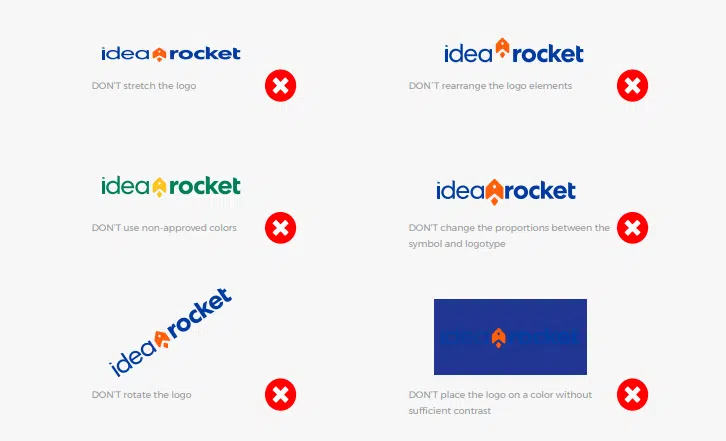
It’s a good idea to include what you do and don’t want to see in your video brand guidelines too. Consider whether you’ll use stock footage, logo animations, canned laughter, AI-generated content (more on that below)…and anything else that seems important to specify.
Get more expert tips for infusing brand into your videos.
Set Your Rules for AI
A couple of years ago, AI barely rated a mention in a video style guide. Now it’s part of how a lot of video gets made, including ours. Your guidelines should say where it’s welcome and where it isn’t.
Consider:
- Approved uses, such as concept art, storyboards, backgrounds or versioning, and off-limits ones, such as synthetic actors or cloned voices
- Whether your brand characters, logo and spokespeople can be generated or altered with AI
- Disclosure: when you’ll label AI-generated content, and how
Consistency deserves special attention. AI tools are good at producing one striking image and bad at producing the same character twice. The reference material in your style guide (character sheets, palettes, approved samples) is exactly what keeps AI output on-brand. It’s worth more now than it was before.
Leave Room for Creativity in Video Brand Guidelines
Your stylebook doesn’t have to specify every possible scenario. You don’t want to choke off creative expression. The goal is just to give some clear guidelines that maintain brand integrity.
If you define the tools your video-makers can use too tightly and strictly, if you limit their palette too dramatically, you just might end up with something that looks and feels exactly like everyone else – which is the opposite of what you are trying to achieve.
We can help you develop video branding guidelines and create animation for business. Our video experts have made explainer videos for technology, healthcare, human resource, and other uses. Contact us today to get started.