If you are wondering, “How do I turn on Facebook Dating on my Facebook account?”, you are not alone. Many Facebook users want to explore Dating but cannot immediately find the feature in the Facebook app. The good news is that Facebook Dating is accessed through the main Facebook app rather than requiring you to install a separate official Facebook Dating application.
Facebook Dating allows eligible users to create a dating profile that is separate from their main Facebook profile. Once available on your account, you can create your Dating profile, choose your preferences, discover potential matches, and communicate with people through the Dating experience.
However, simply opening Facebook does not guarantee that Dating will appear. Availability can depend on factors such as your location, account eligibility, age, app version, and whether the feature is currently available to you.
In this guide, I will show you how to turn on Facebook Dating, what to do if you cannot find it, and how to get your account ready for the best possible experience.
What Is Facebook Dating?
Facebook Dating is a dating experience integrated into Facebook. It is designed to help people discover potential romantic connections while keeping their Dating profile separate from their primary Facebook profile.
This distinction is important. Creating a Facebook Dating profile does not simply turn your regular Facebook profile into a dating profile. Instead, Facebook provides a separate Dating profile and Dating-specific interactions.
The feature is accessed from within the Facebook mobile app when it is available to your account. Therefore, if you are searching for a separate “Facebook Dating” application in an app store, you should be careful with unofficial applications that claim to provide access to Facebook Dating.
Before You Turn On Facebook Dating
Before attempting to activate Facebook Dating, take a few minutes to prepare your account. This can prevent many common problems.
1. Make Sure Your Facebook App Is Updated
Start by checking whether you are using the latest available version of the Facebook app.
On Android:
-
Open the Google Play Store.
-
Search for Facebook.
-
Open the Facebook app page.
-
If an Update button appears, tap it.
-
Wait for the update to finish.
-
Open Facebook again.
On iPhone:
-
Open the App Store.
-
Search for Facebook.
-
Open the Facebook app listing.
-
Tap Update if an update is available.
-
After installation, launch Facebook again.
An outdated application can cause menus and features to behave differently from the current version.
2. Use Your Normal Facebook Account
Log into the Facebook account you normally use rather than creating multiple accounts simply to find Dating.
If Facebook Dating is available to your account, you should generally be able to access it from the Facebook mobile application.
3. Check Your Internet Connection
A weak or unstable internet connection can prevent Facebook menus from loading correctly. Before troubleshooting the Dating feature, make sure your mobile data or Wi-Fi connection is working properly.
How to Turn On Facebook Dating on Your Facebook Account
Once your Facebook application is updated, you can check whether Dating is available.
Step 1: Open the Facebook App
Launch the official Facebook application on your Android phone or iPhone.
Log into your Facebook account if you have not already done so.
Step 2: Open the Facebook Menu
Look for the Menu icon in the Facebook app. Depending on your device and the current version of Facebook, the position and appearance of the menu may differ.
Tap the Menu icon to open the list of available Facebook services and shortcuts.
Step 3: Look for Dating
Scroll through the available options and look for Dating.
If Facebook Dating is available to your account, selecting Dating should take you into the Dating experience.
You may also be able to search within Facebook’s menu or shortcuts if your version of the app provides that option.
Step 4: Select Dating and Begin Setup
When you open Dating for the first time, Facebook may guide you through the process of creating your Dating profile.
Read the information presented on the screen and follow the instructions provided.
Remember that Facebook can change the appearance and wording of its menus over time, so the exact buttons may not look identical on every device.
Step 5: Create Your Dating Profile
If you are eligible to use Facebook Dating, you can begin creating your separate Dating profile.
You may be asked to provide information such as your gender, dating preferences, location, photos, interests, and other profile details.
Take your time during this stage. A complete and authentic profile can make it easier for potential matches to understand who you are.
Step 6: Review Your Dating Preferences
Your preferences help Facebook Dating determine which potential profiles may be relevant to you.
Depending on the options available to you, review settings relating to factors such as:
Choose settings that accurately represent what you are looking for rather than selecting random options simply to increase the number of suggestions.
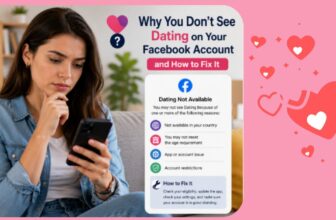
Why Can’t I Find Facebook Dating on My Account?
One of the most common questions users ask is why Facebook Dating does not appear in their Facebook menu.
There are several possible explanations.
Facebook Dating May Not Be Available in Your Location
Facebook Dating is not available everywhere. If the service has not been launched or supported in your location, changing settings on your phone will not necessarily make the feature appear.
Availability can also change over time.
Your Account May Not Meet the Requirements
Facebook Dating has eligibility requirements. If your account does not meet the requirements for using the feature, you may not see Dating.
Do not attempt to bypass eligibility restrictions by providing false information or using questionable third-party applications.
Your Facebook App May Need an Update
If you are using an older version of Facebook, update the application before doing anything more complicated.
After updating, close Facebook completely and reopen it.
The Facebook Menu May Have Changed
Facebook regularly changes its interface. A shortcut that previously appeared in one location may move somewhere else after an update.
Therefore, do not assume that Dating has disappeared simply because it is no longer located where you remember seeing it.
What to Do If Facebook Dating Is Missing
If you have checked the menu and cannot find Facebook Dating, work through the following steps.
Update Facebook
First, check Google Play or the App Store for an available Facebook update.
Restart Your Phone
A simple restart can sometimes resolve temporary application problems.
Turn off your phone, wait briefly, and turn it back on. Then open Facebook and check the menu again.
Check Your Location Settings
Because some Facebook features depend on location, make sure your device’s location settings are functioning correctly where appropriate.
However, do not use fake GPS tools or misleading location information to attempt to force Dating to appear.
Clear the Facebook App Cache on Android
Android users can try clearing the Facebook app cache.
The exact menu varies between Android manufacturers, but you can generally find the option under:
Settings → Apps → Facebook → Storage → Clear Cache
Avoid selecting options that delete important app data unless you understand what they do.
Reinstall Facebook
If updating and restarting do not solve the problem, you can uninstall and reinstall Facebook from the official app store.
After reinstalling, sign into your normal Facebook account and check whether Dating is available.
Can You Use Facebook Dating Without Installing a Separate Dating App?
This is an important point for anyone searching for a Facebook Dating app download.
Facebook Dating is integrated into Facebook rather than requiring users to download an official standalone Dating application. Your safest approach is therefore to use the official Facebook application from the appropriate app store and access Dating from within Facebook when the feature is available.
Be cautious about websites offering modified Facebook Dating APK files or applications that promise to unlock Dating instantly.
Downloading unofficial software can expose your account and device to unnecessary security risks.
How to Create a Better Facebook Dating Profile
Turning on Facebook Dating is only the beginning. Your profile plays an important role in how other users understand you.
Use Recent Photos
Choose clear, recent photographs that genuinely represent you.
Avoid using heavily edited images or pictures that make it difficult for someone to recognize you in real life.
Write an Honest Introduction
Your introduction does not need to be complicated.
Mention a few genuine interests, activities you enjoy, and the type of connection you hope to build.
For example, instead of writing a generic sentence such as “I like having fun,” you could explain what you actually enjoy doing during your free time.
Be Clear About Your Intentions
If you are interested in a serious relationship, friendship, or another type of connection supported by the Dating experience, communicate your intentions honestly.
Clear expectations can reduce unnecessary misunderstandings.
Keep Conversations Respectful
Once you connect with someone, avoid rushing into personal or financial matters.
Start with normal conversation. Ask about shared interests and allow the relationship to develop naturally.
Facebook Dating Safety Tips
Online dating can be enjoyable, but you should still protect your privacy.
Never send money to someone simply because you have developed an emotional connection online. Be especially cautious if a person quickly asks for financial assistance, investment payments, gift cards, banking information, or account credentials.
You should also avoid sharing sensitive personal information too early.
If someone behaves suspiciously, becomes threatening, pressures you, or violates Facebook’s rules, use the available reporting or blocking options.
When meeting someone for the first time offline, choose a public location and let someone you trust know where you will be.
Conclusion
Knowing how to turn on Facebook Dating on your Facebook account can make the process much easier when you understand where to look and what requirements may affect availability. Start by updating the Facebook app, opening the Menu, checking for Dating, and following the setup instructions if the feature is available to you.
If you cannot find Facebook Dating, do not immediately assume that your account is broken. Check your app version, location availability, eligibility, device settings, and Facebook’s current interface. Avoid unofficial APK files and services that promise to activate hidden features.
Once Facebook Dating becomes available, focus on creating an honest profile, using recent photos, communicating respectfully, and protecting your personal information. The goal is not simply to turn the feature on but to use it responsibly and create genuine opportunities to connect with people who share your interests and relationship goals.