

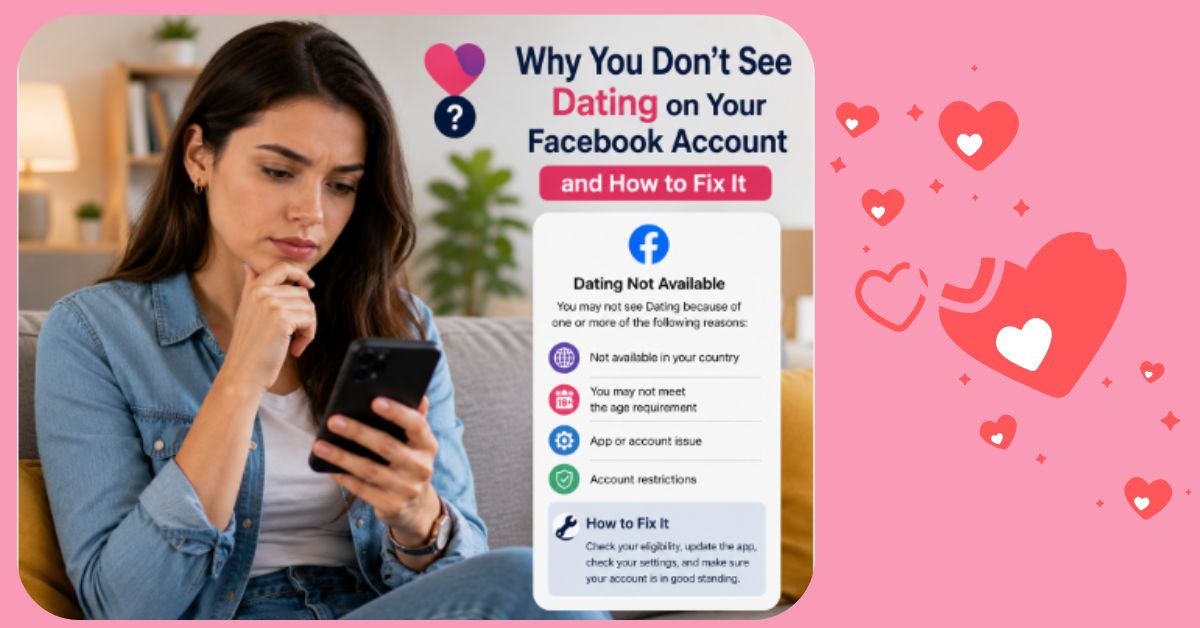
Facebook has evolved far beyond being a social networking platform. Today, it offers a wide range of features, including Marketplace, Groups, Reels, and Facebook Dating. The Dating feature provides eligible users with a convenient way to meet new people, build meaningful relationships, and connect with singles who share similar interests—all within the Facebook mobile app.
However, many users encounter a frustrating issue: they simply cannot find the Facebook Dating feature on their account. If you’ve searched through the app and still don’t see the Dating option, you’re not alone.
The good news is that, in many cases, the problem has a simple explanation and an equally practical solution. Whether it’s due to eligibility requirements, an outdated app, account settings, or regional availability, understanding the cause is the first step toward resolving the issue.
In this guide, we’ll explore the most common reasons why Facebook Dating may be missing from your account and provide practical steps to help you restore access.
Facebook Dating is a built-in feature within the Facebook mobile application that allows adults to create a separate dating profile while keeping it distinct from their main Facebook profile.
Rather than requiring a separate dating app or account, Facebook Dating enables users to connect with compatible people based on interests, preferences, activities, and other profile information.
The feature is designed with privacy in mind. Your Facebook friends are generally not shown your dating profile, and your dating activity remains separate from your regular Facebook timeline.
There isn’t just one reason why Facebook Dating may not appear. Several factors can affect availability.
Let’s examine the most common causes.
Facebook Dating is available only to users who are at least 18 years old.
If your Facebook profile indicates an age below 18, the Dating feature will not appear.
How to Fix It
-
Verify that your birth date on Facebook is accurate.
-
If your birthday was entered incorrectly, follow Facebook’s procedures to request a correction.
-
Once your account reflects an eligible age, the feature may become available if all other requirements are met.
Facebook Dating has not launched in every country and region.
Even if your friends in another country can access it, the feature may not yet be available where you live.
How to Fix It
Check whether Facebook Dating has been rolled out in your country. If it has not, you may need to wait until the service becomes available.
Many users overlook this simple cause.
Older versions of the Facebook app may not display newly released features.
How to Fix It
-
Visit your device’s official app store.
-
Search for Facebook.
-
Install any available updates.
-
Restart the app after updating.
Keeping your app current ensures you have access to the latest improvements and features.
Facebook Dating is designed primarily for the Facebook mobile application.
If you’re using Facebook in a desktop browser, you may not see the Dating feature.
How to Fix It
Download and use the Facebook app on a supported Android or iPhone device.
Brand-new accounts sometimes don’t immediately receive access to every Facebook feature.
This helps Facebook reduce misuse and improve platform security.
How to Fix It
Continue using your account normally.
Complete your profile.
Interact naturally with the platform.
Feature availability may improve over time.
If your account has violated Facebook’s Community Standards or Terms of Service, some features may be limited.
How to Fix It
-
Review your account notifications.
-
Resolve any policy issues if possible.
-
Continue using Facebook responsibly.
Maintaining good account standing improves access to platform features.
Like any online platform, Facebook occasionally experiences temporary bugs or service interruptions.
How to Fix It
Try:
Sometimes the issue resolves itself automatically.
A slow or unstable connection may prevent some Facebook features from loading correctly.
How to Fix It
-
Switch to a stronger Wi-Fi network.
-
Use a stable mobile data connection.
-
Restart your internet connection if necessary.
Over time, cached data may interfere with app performance.
How to Fix It
For Android users:
-
Open device settings.
-
Navigate to Apps.
-
Select Facebook.
-
Clear cache.
For iPhone users, reinstalling the app may help refresh stored data.
If your account meets the eligibility requirements, follow these steps to enable Facebook Dating.
Step 1
Open the Facebook mobile app.
Step 2
Log into your Facebook account.
Step 3
Tap the Menu icon.
Step 4
Locate the Dating option.
Step 5
Tap Dating and follow the on-screen instructions to create your dating profile.
Step 6
Complete your profile by adding:
-
Recent photos
-
A short bio
-
Interests
-
Preferences
-
Relationship goals
Once your profile is complete, Facebook will begin suggesting compatible matches.
After gaining access to Facebook Dating, take time to create a profile that reflects who you are.
Use High-Quality Photos
Choose clear, recent images that accurately represent your appearance.
Avoid heavily edited or misleading photos.
Write a Genuine Bio
Tell potential matches about:
Authenticity helps build trust.
Stay Active
Regularly checking your profile and responding politely to conversations can improve your overall experience.
Keep Your Information Updated
As your interests or lifestyle change, update your profile to keep it current.
Dating Feature Disappeared
This may happen after app updates, technical issues, or temporary service interruptions.
Try updating the app and restarting your device.
Profile Won’t Load
Check your internet connection and ensure the app is fully updated.
Unable to Create a Dating Profile
Verify that you meet all eligibility requirements, including age and regional availability.
Not Receiving Matches
Several factors may influence your experience, including profile completeness, activity level, preferences, and the availability of compatible users.
Improving your profile and remaining active may help increase your opportunities to connect.
Protecting your personal information is essential.
Follow these recommendations.
Avoid Sharing Sensitive Information
Never share:
Meet Safely
If you decide to meet someone:
-
Choose a public location.
-
Inform a trusted friend or family member.
-
Arrange your own transportation.
Report Suspicious Behaviour
If another user behaves inappropriately, use Facebook’s reporting and blocking tools.
Many users unintentionally reduce their chances of success.
Avoid these common mistakes:
-
Leaving your profile incomplete.
-
Using old or blurry photos.
-
Providing inaccurate information.
-
Sending disrespectful messages.
-
Ignoring privacy settings.
-
Expecting instant matches.
Meaningful relationships often require patience.
Once Facebook Dating becomes available on your account, focus on building meaningful connections rather than simply collecting matches.
To improve your experience:
-
Keep your profile honest and complete.
-
Use recent, high-quality photos.
-
Respect other users.
-
Communicate politely.
-
Stay patient.
-
Prioritize your privacy and safety.
-
Update your profile when necessary.
These habits can help create more genuine conversations and stronger connections over time.
Not seeing Facebook Dating on your account can be disappointing, but it doesn’t always indicate a permanent problem. In many cases, the issue stems from common factors such as an outdated Facebook app, age restrictions, regional availability, a new account, or temporary technical glitches. By identifying the underlying cause and following the appropriate troubleshooting steps—such as updating the app, verifying your account details, using the mobile app, or checking your account status—you can often restore access to the feature.
Once Facebook Dating becomes available, take the time to build a complete and authentic profile, use clear and recent photos, and communicate respectfully with potential matches. Remember that meaningful relationships rarely happen overnight. Patience, honesty, and consistent engagement are key to making the most of the platform. By approaching Facebook Dating thoughtfully and safely, you’ll be in a stronger position to meet compatible people and enjoy a positive online dating experience.


