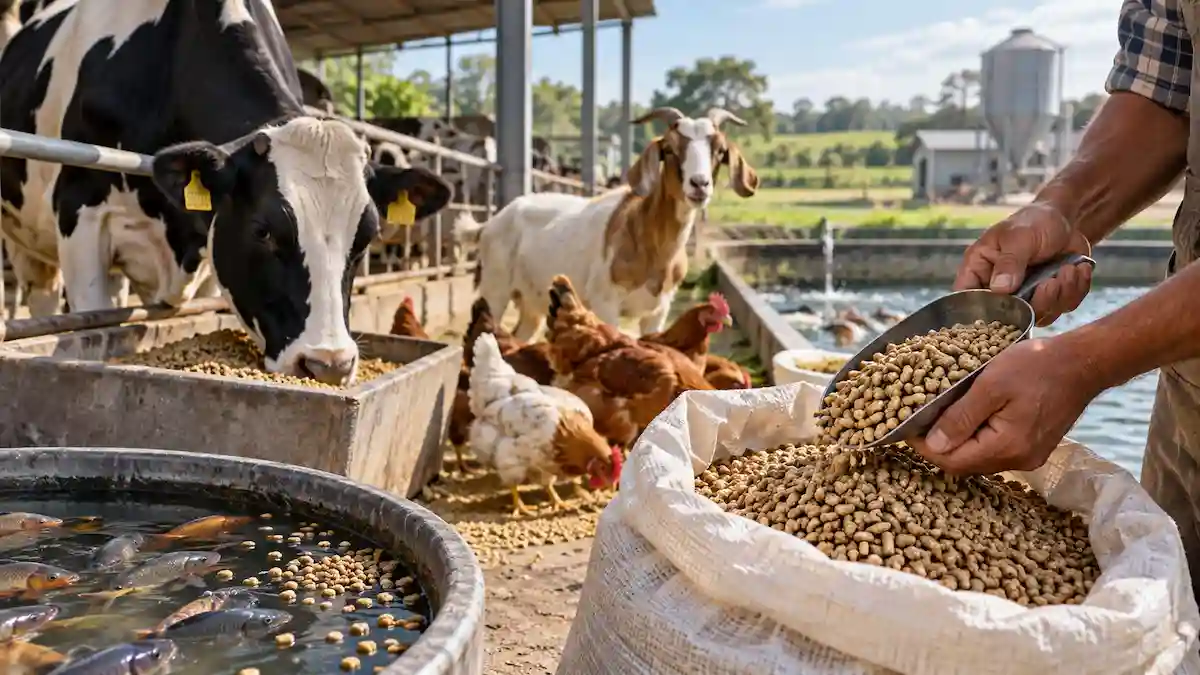
Quick summary: Feed is often one of the largest operating expenses in livestock, poultry, and fish production, yet many people still estimate it with rough guesswork.
✓ Copied!
About This Feed Cost Calculator
The Feed Cost Calculator estimates daily, monthly, and annual feed expenses for any livestock, poultry, or fish operation. Select an animal type to auto-fill a recommended daily feed rate and typical feed price, or enter your own figures — the calculator normalizes any price basis (per bag, per kg, per lb, per metric tonne, or per US ton) into a single cost-per-kg figure so every result stays mathematically consistent.
Formula Used
Daily Feed Cost = (Number of Animals × Daily Feed per Animal) × Normalized Price per kg. Monthly Cost = Daily Cost × 30. Annual Cost = Daily Cost × 365. Price per kg is normalized from the selected basis — for a bag price, Price per kg = Bag Price ÷ Bag Weight (kg); for a per-lb price, Price per kg = Price × 2.2046226218; for a metric tonne, Price ÷ 1,000; for a US ton, Price ÷ 907.18474.
Usage Tip
Feed typically represents the single largest recurring cost on most livestock, poultry, and aquaculture operations — re-run this calculator whenever a feed ingredient price shifts by more than 5–10%, since even small per-kg price changes compound significantly over a full production cycle.

The Feed Cost Calculator helps reduce that guesswork by turning your animal count, feed amount, and price into a clear daily, monthly, and annual cost estimate – handling unit conversions, currency, and bag rounding automatically. It’s a feed-cost estimator, not a ration-formulation tool, and this article explains exactly what it does, what it doesn’t, and how to use it well.
What the Calculator Actually Does
At its core, the tool answers one question: if I feed this many animals, this much each day, at this price, what does that actually cost me?
That sounds simple, and in a way it is. But getting a trustworthy answer means handling a few things correctly behind the scenes.
Unit conversions, price normalization, and rounding are exactly the places people get tripped up doing this math by hand or in a rushed spreadsheet. The calculator handles all of that automatically.
So what you see on screen is a number you can plan around, not a rough guess dressed up to look precise.
It’s built for a wide range of operations: poultry keepers with layers or broilers, dairy and beef cattle producers, goat and sheep farmers, pig operations, and fish farmers raising tilapia or catfish.
Whether you’ve got a dozen backyard hens or several hundred head of cattle, the same logic applies – it just scales with your numbers.
How to Use the Feed Cost Calculator
Before getting into the details, here’s the whole workflow in order:
- Select your animal type.
- Enter the number of animals.
- Review the automatically recommended daily feed amount.
- Change the feed amount if your actual feeding rate differs.
- Enter or review the feed price.
- Select your currency.
- Choose whether the price is per bag, per kg, per lb, per metric tonne, or per US ton.
- Enter the bag weight if you’re buying by the bag.
- Click Calculate Feed Cost.
- Review the daily, monthly, and annual feed cost results.
- Use Reset if you want to start a new calculation.
That’s the short version. The rest of this article walks through each of these pieces in more detail.
Starting With What You’re Feeding
The first thing the calculator asks is simple: what kind of animal are you feeding?
This isn’t just a formality. Selecting an animal type from the dropdown – Chicken (Layer), Chicken (Broiler), Duck, Turkey, Goat, Sheep, Pig (Grower/Finisher), Pig (Sow), Beef Cattle, Dairy Cattle, Fish (Tilapia), Fish (Catfish), or Custom – triggers something genuinely useful.
The calculator fills in a recommended daily feed amount and an estimated price for you, automatically.
This matters more than it might seem at first. A lot of people budgeting for feed costs – especially newer farmers, or those managing several animal types at once – don’t have precise consumption figures memorized.

The calculator may start a dairy cattle estimate at around 20.4 kg/day, or a goat estimate at around 2.3 kg/day, depending on the selected preset. These are simplified starting estimates, not universal feeding requirements.
Here’s the important part, though: none of it is locked in. The recommended feed amount and feed price are fully editable, and you can also change the currency and pricing basis to match your situation.
If you know your dairy herd eats a bit more than average because of your specific ration, you just type over the number. The suggested value exists to save you time and give you a sensible starting point.
It’s not there to box you into a generic estimate that doesn’t reflect your actual operation. And if none of the presets match what you’re raising, “Custom” leaves every field blank so you can enter your own figures from scratch.
What the Recommendation Is Actually Based On
It’s worth being precise about this: the calculator is a feed-cost estimator, not a ration-formulation tool.
The preset values come from a simple Animal Type → recommended starting estimate lookup. They are not calculated from your animal’s body weight, age, breed, production stage, milk output, growth rate, or biomass.
A dairy nutritionist working out a real ration would want all of those details. This calculator deliberately doesn’t ask for them, because its job is cost planning, not nutrition science.
If you already know your actual daily feed rate – from a nutritionist, a feed mill recommendation, or your own records – replace the recommendation with that value. Your number will always be more accurate than a general average.
Telling It How Many Animals You Have
Right below the animal type selector is a straightforward number field: how many animals are you feeding?
This has to be a whole number greater than zero – you can’t have “12.5 goats.” The calculator will politely reject anything that doesn’t make sense here, whether that’s a decimal, a negative number, or an empty field.
It’s a small thing, but it’s part of why the tool feels dependable rather than fragile. It won’t quietly produce a nonsense result from bad input; it stops and asks you to fix it first.
Daily Feed Per Animal – And Why the Units Matter
This is where the calculator does some of its most useful behind-the-scenes work. The daily feed field lets you enter an amount in either kilograms per day or pounds per day, and you can switch between the two whenever you like.
Flip the unit toggle, and the number updates in real time to reflect the same underlying quantity – 2.3 kg becomes roughly 5.07 lb. Flip it back, and it returns to exactly 2.3 kg.
That “exactly” is doing more work than it looks like. A lot of simple calculators round the number every time you convert it, so toggling back and forth a few times causes the value to quietly drift from what you originally entered.
This one keeps track of the real, unrounded value in the background and only rounds it for display. No matter how many times you switch units, you’re never losing precision.
When you select a preset animal type, you’ll also see a small note underneath the field: “Recommended average – you can edit this value.”
That’s not just a label. It’s a reminder that these are averages meant to get you close, not a rigid rule about what your specific animals must eat.
A Note on Fish Feeding
Fish presets deserve a bit more explanation than the others, because fish feeding doesn’t quite work the same way land animals do.
For fish, feeding is often determined from total biomass and a feeding-rate percentage, rather than a single fixed amount per fish. A larger fish, or a denser pond, needs proportionally more feed – it isn’t a flat daily number the way “a goat eats about 2.3 kg” tends to be.
The Tilapia and Catfish presets in this calculator are simplified starting estimates for cost planning, not a substitute for biomass-based feeding calculations.
Fish feed requirements also swing based on water temperature and growth stage in ways that land-animal feeding usually doesn’t. The preset provides a simplified starting point for budgeting; it isn’t meant to replace pond management data.
Feed Price, Currency, and How It’s Priced
Once you’ve got the animal type, count, and feed amount sorted, the next section covers cost. You’ll enter a feed price, choose a currency – USD, EUR, GBP, CAD, AUD, INR, ZAR, BRL, NGN, KES, or PHP – and specify how that price is quoted: per bag, per kilogram, per pound, per metric tonne, or per US ton.
That last part is worth pausing on, because it’s genuinely easy to get wrong. A metric tonne is 1,000 kilograms. A US short ton is 2,000 pounds – which works out to about 907.18 kilograms.
Those two units get casually called “a ton” in everyday conversation, but treating them as interchangeable will hand you a cost estimate that’s off by close to 10%.
This calculator keeps them separate and converts each one correctly, so whichever way your supplier prices things, the math underneath stays accurate.
One thing worth being clear about: the currency selector does not convert prices between currencies. It’s simply telling the calculator which currency symbol to display next to your numbers.
If you enter a feed price in Kenyan Shillings, the results will show KSh – but the calculator isn’t pulling exchange rates or converting anything for you. That’s intentional.
Live currency conversion adds complexity and a dependency on external data that can go stale, and it’s not what most people actually need when they’re budgeting for feed they’re buying in their local currency anyway.
Feed Prices Vary More Than People Expect
It’s worth saying plainly: feed prices are not the same everywhere, and the calculator can only work with the number you give it.
Prices vary by country, region, supplier, feed formulation, brand, season, and purchase quantity. A price that’s accurate in one region can be badly off in another, even for the same animal type.
For the most useful estimate, always enter your current local supplier price rather than relying on the preset figure for anything more than a rough starting point.
When You’re Buying by the Bag
If you select “Per Bag” as your pricing basis, a new field appears: bag weight, with its own kg/lb toggle. This only shows up when it’s relevant.
If you’re pricing by the kilogram or by the tonne, there’s no bag weight to specify, so the field stays out of the way.

This is where the calculator’s real value shows up. Internally, every pricing method – a $22 fifty-pound bag, a price per kilogram, a bulk price per tonne – gets converted into one consistent measure: cost per kilogram.
That’s what lets the tool compare apples to apples and run one reliable calculation engine, regardless of how your particular supplier happens to quote their prices.
The bag calculation is particularly useful when feed is purchased in fixed-size bags rather than by loose weight. The calculator converts your total feed requirement into the number of complete bags you’d actually need to buy – which is usually the real question on a farmer’s mind, more than the abstract price-per-kilogram figure underneath it.
What You Get Back
Once every required field is filled in and you click Calculate Feed Cost, the results appear in a clean summary card. Here’s what’s in it.
Estimated Feed Cost, broken down as daily, monthly, and annual figures. The daily figure comes from multiplying your animal count by the daily feed amount and the normalized price per kilogram.
Monthly is that daily figure times 30, and annual is daily times 365 – simple, transparent math you can follow and double-check yourself.
Total Feed Required, shown daily, monthly, and yearly, displayed in whichever unit – kg or lb – you had selected for daily feed. If you’ve been thinking in pounds this whole time, the results stay in pounds.
The underlying calculations still happen in kilograms for consistency, but you never have to see or think about that unless you want to.
Cost Per Animal, calculated on a monthly basis, so you can see what each individual animal is costing you to feed.
It’s a genuinely useful number when you’re comparing the economics of different animal types or deciding whether to expand a particular part of your operation.
Number of Bags Needed, when you’re pricing by the bag. Daily, monthly, and yearly bag counts are all shown, and – this matters for actual purchasing — bag counts are always rounded up.
If your monthly requirement works out to 150.2 bags, the calculator tells you 151, because that’s what you’d actually need to buy. Rounding down would leave you short.
Every results card also carries a clear disclaimer: feed quantities and prices shown are approximate averages for estimation purposes, and actual requirements vary by breed, age, climate, and management practices.
Anyone who needs precise feeding recommendations should talk to a vet, nutritionist, or agricultural extension officer. It’s a small addition, but an honest one.
Resetting the Calculator
Made a change and want to start over? Click Reset to clear all entered values, remove the results and any validation messages, and return the calculator to its starting state.
Reset clears the animal type, number of animals, feed amount and unit, price and currency, price basis, and bag weight. It also hides the results card and any conditional fields – like the bag weight field or the fish note – that only appear under certain selections.
The cursor automatically returns to the Animal Type field, so you can begin a new calculation immediately without clicking back into the form yourself.
It’s a small feature, but a genuinely useful one if you’re comparing several animal types or scenarios back to back.
Example: Calculating Feed Cost for 100 Goats
Worked examples make this easier to trust, so here’s a full one from start to finish.
Setup:
- Animals: 100 goats
- Recommended feed: 2.3 kg/goat/day
- Feed price: $20 per 50-lb bag
- Bag weight: 50 lb
Daily feed: 100 × 2.3 kg = 230 kg/day
Monthly feed: 230 kg × 30 days = 6,900 kg/month
Annual feed: 230 kg × 365 days = 83,950 kg/year
Now for the price. A 50-lb bag first needs converting to kilograms: 50 lb is about 22.6796 kg. Dividing the $20 bag price by that gives a normalized price of approximately $0.8818 per kg.
From there, the results work out to:
- Daily feed: 230 kg
- Monthly feed: 6,900 kg
- Annual feed: 83,950 kg
- Price per kg: approximately $0.8818
- Daily cost: approximately $202.82
- Monthly cost: approximately $6,084.66
- Annual cost: approximately $74,021.96
- Monthly cost per animal: approximately $60.85
The example doesn’t have to stop at cost, either. Since the price basis is “per bag,” the calculator also works out how many bags you’d actually need to buy.
A 50-lb bag is about 22.6796 kg. Dividing the monthly feed requirement by that gives 6,900 ÷ 22.6796, or roughly 304.24 bags.

You can’t buy a fraction of a bag, so the calculator rounds up – meaning the actual monthly purchase comes to 305 bags.
The same logic applies annually: 83,950 ÷ 22.6796 works out to roughly 3,702.94 bags, which rounds up to 3,703 bags per year.
That rounding is exactly why it matters. If the calculator rounded down instead – 304 bags instead of 305 – you’d come up short of what your goats actually need for the month.
Frequently Asked Questions
How is feed cost calculated?
By multiplying the number of animals by the daily feed amount per animal, then multiplying that by a normalized price per kilogram. Monthly and annual figures scale that daily cost by 30 and 365 respectively.
How much feed does one animal need per day?
It depends on the animal type, and the calculator provides a simplified recommended starting estimate when you select a preset. Actual requirements vary by breed, age, weight, and production stage, so treat the preset as a starting point.
Can I change the recommended feed amount?
Yes. The recommended feed amount and feed price can be edited, and the currency and price basis can be changed to match your local situation. Once you edit the recommended value, your edited value is used for the calculation. Selecting a different animal type loads that animal’s preset.
Does the calculator work in kilograms and pounds?
Yes, both the daily feed field and the bag weight field support real-time kg-to-lb conversion, and results can be viewed in either unit.
Can I calculate feed bought by the bag?
Yes. Selecting “Per Bag” as your price basis reveals a bag weight field, and the results include how many bags you’d need daily, monthly, and yearly, always rounded up to a whole bag.
What’s the difference between a metric tonne and a US ton?
A metric tonne is 1,000 kg. A US short ton is 2,000 lb, or about 907.18 kg. They’re often both called “a ton” casually, but they’re different weights, and the calculator handles them separately.
Does the currency selector convert currencies?
No. It only changes which currency symbol is displayed next to your numbers. It does not perform any exchange-rate conversion.
How are monthly and annual feed costs calculated?
Monthly estimates use 30 days, and annual estimates use 365 days. The calculator does not adjust for months having different numbers of calendar days.
Can I use the calculator for fish?
Yes, with Tilapia and Catfish presets available. Keep in mind that real fish feeding is usually based on biomass and a feeding-rate percentage, so these presets are simplified starting estimates rather than pond-management figures.
Is the recommended feed amount suitable for every animal?
No. It’s a simplified recommended starting estimate for the selected animal type, not a calculation based on your specific animal’s weight, breed, age, or production stage. Replace it with your own figure whenever you have one.
What the Feed Cost Calculator Doesn’t Include
To keep expectations accurate, it’s worth being upfront about scope. The calculator estimates feed cost only. It does not calculate:
- Veterinary costs
- Labor
- Housing
- Water or electricity
- Medication
- Mortality
- Feed wastage or spillage
- Transportation
- Feed storage
- Other general farm operating costs
And importantly, it does not formulate a nutritionally complete ration. It’s a cost-planning tool built around a simplified feed-per-day average, not an animal nutrition calculator.
A Note on Feed Wastage
Real farms rarely consume exactly the amount of feed they purchase. Spillage, spoilage, storage losses, and feeder waste are all normal parts of day-to-day operations.
The calculator estimates feed based on the amount you enter – it currently doesn’t add a separate wastage percentage on top of that.
If wastage is significant on your operation, it’s worth padding your purchasing estimate accordingly rather than assuming feed required equals feed consumed exactly.
Why This Approach Beats Doing It By Hand
The value here isn’t really the individual calculations – multiplying a few numbers together isn’t hard. It’s that the calculator handles all the places where small errors creep in.

Unit conversions that drift after repeated rounding, tonnes and tons getting mixed up, bag counts getting rounded the wrong direction, prices from different sources not being compared on the same basis.
Any one of those mistakes might shift your feed budget by only a few percent on its own. But add them up across a full year of purchasing for a herd or flock, and a few percent can turn into a genuinely significant number.
Used honestly – as an estimate to plan around rather than a guarantee, and alongside your own knowledge of your animals and local feed prices – the Feed Cost Calculator gives farmers of any size a fast, consistent way to estimate feed costs, and to catch it early when feed prices shift enough to matter.
You may also check this: Livestock Feed Calculator.