Learn to find and acquire the perfect assets without leaving the software

Matt HickinBottom
Matt’s journey in media and entertainment began at the age of 12, when he starred in a children’s television show. He later transitioned to composing music and jingles for TV, including work for Disney aimed at European audiences. Broadening his skill set, Matt has become a highly sought-after producer, director, and director of photography, with experience creating award-winning promos for SONY Pictures. His work takes him worldwide, producing cinematic adverts for Merlin Entertainment across LEGO Discovery Centers, Sea Life Centers, and Warwick Castle attractions.
Since 2020, Matt has incorporated iClone as a core tool in his workflow for animated content creation, utilizing iClone animations, Character Creator avatars, and Perception Neuron motion capture in his projects.
Project: The Longest Goodbye
“I’m currently building a pitch project for a team in the US for funding towards a feature length animation with the main story centering around the elderly and sufferers of Alzheimer and Dementia. We have already created a few trailers, but the next round is for us to create a 3 minute section of what the final project will look like. This is a perfect opportunity for us to shout about what is possible with iClone, Smart Search, and the iContent,” said Matt.

Smart Search in iClone and Character Creator
When you are deep in a creative build (whether it is a scene for a corporate animation, a community project, or a feature film) the last thing you want is to break your flow just to go asset hunting. That’s why Smart Search in iClone and Character Creator has become one of our favourite features. It’s not just about finding stuff quickly — it’s about buying smarter, testing assets properly before you buy, and saving money with flexible licensing options.
In this article, we’ll share insights from our current feature-length project and show how Smart Search has dramatically improved our workflow.
One Search, Everything in One Place
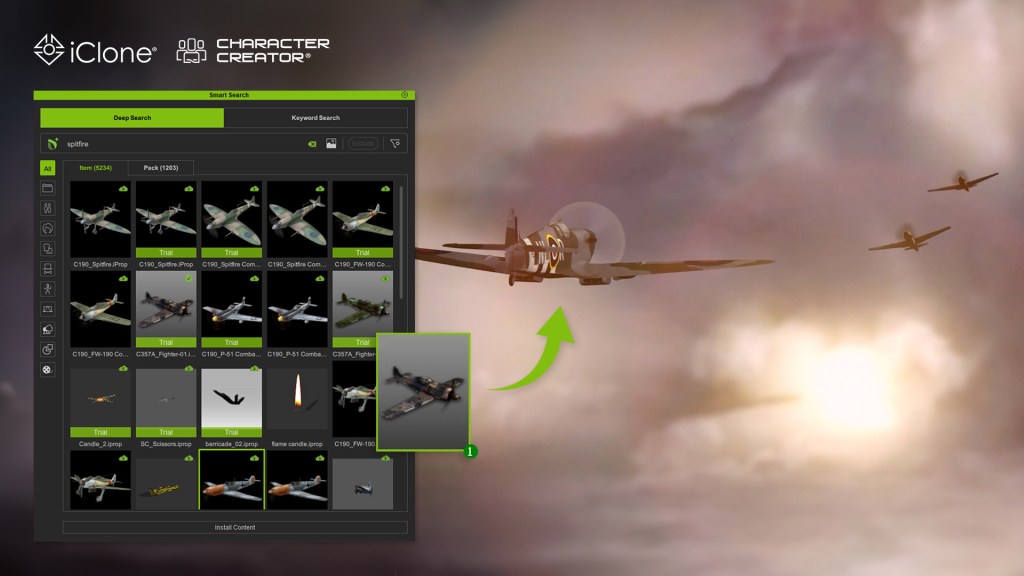
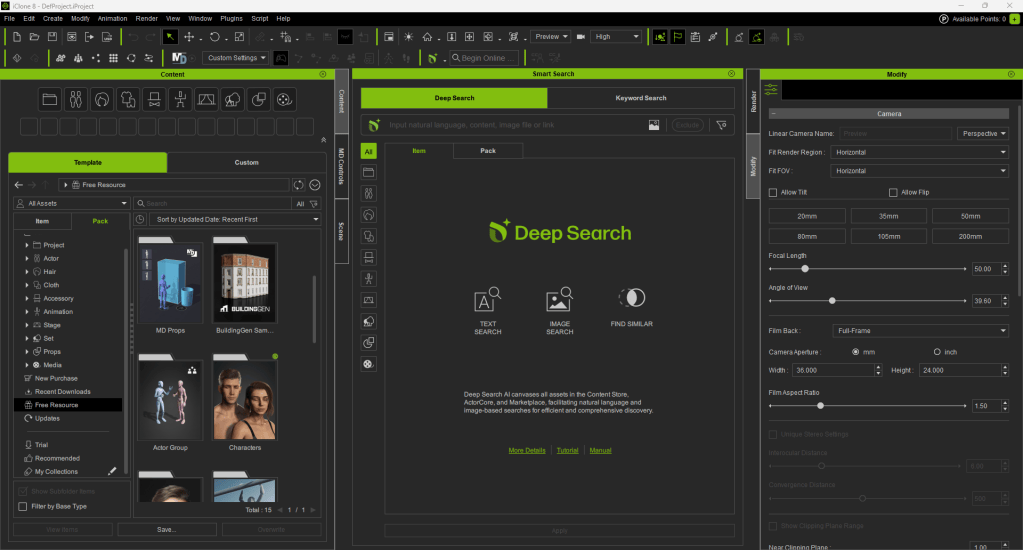
Smart Search lets us search across our local assets, Reallusion’s Content Store, Marketplace and ActorCore, all at once and directly inside the software. No need to open a browser, log into a separate site, or juggle tabs. We just type what we need, like: “World War 2 plane”, “Old Man Character”, “Dark Sky” … and it shows us everything available.
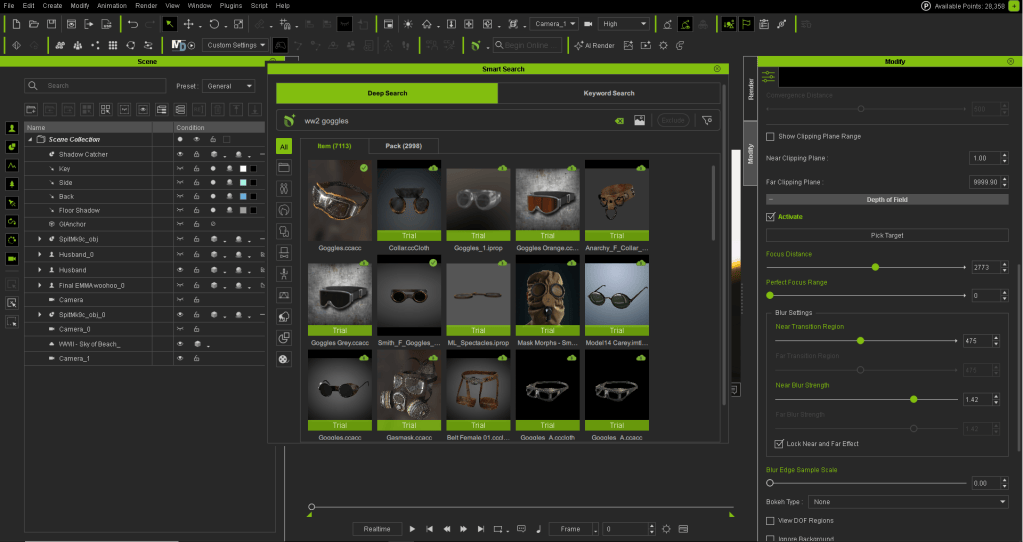
Since our current project draws heavily on World War II themes, we often need to quickly find existing props or costumes to speed up our workflow. Typing “World War 2” in the search field instantly populates a vast array of assets ready for immediate use. Narrowing the search with more specific terms makes it easy to filter out the perfect items from the many options.
One standout feature is Find Similar, which helps locate related items effortlessly. Another is the ability to search using images (costumes, props…), making the production process far more enjoyable. If we already own an asset, great; if not, we can preview it, check the price, and purchase it directly in the software using our DA points. Having this full range of features — from search to checkout — within a single platform is a huge convenience that lets us stay focused on animation and overall production.

Try Before You Buy — Really!
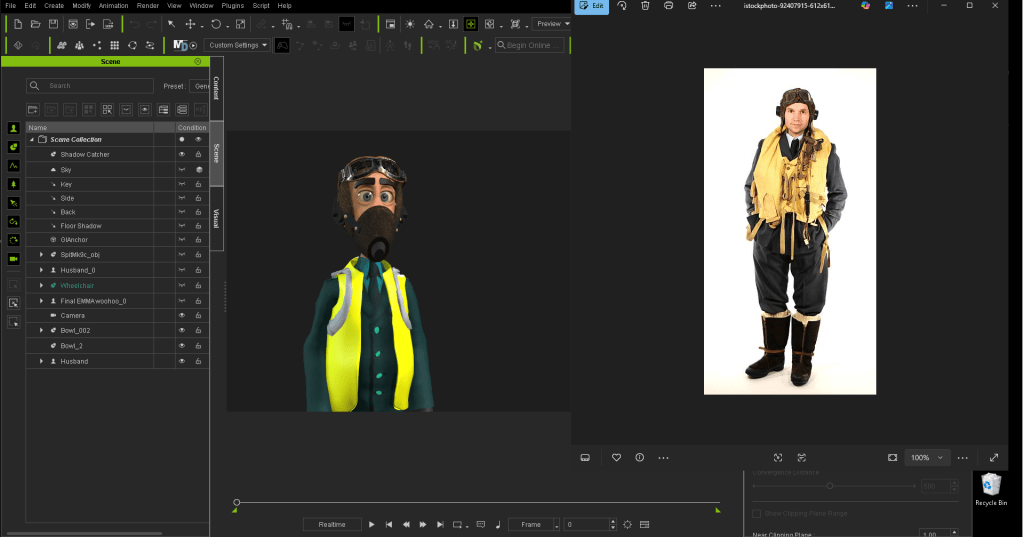
One of the best things? You can actually test certain assets before you commit to buying them. I’ve literally lost count of how many times I’ve purchased an asset based on the thumbnail and been completely disappointed when popping it into a project as it didn’t quite do what I thought, or look as I thought it would.
Smart Search solves this issue. It lets you drag Trial versions of store items straight into your scene. They’ll have a watermark, sure — but you get to see how they look, how they behave, and whether they fit your project. That’s huge for me: no more guessing based on thumbnails or hoping it’ll work once you’ve paid. We rely on this feature all the time, especially when crafting detailed scenes and checking whether an asset fits the tone. It’s a genuine “try before you buy” system, fully integrated into the workflow.
DA Points Make It Quick and Painless
We use DA points for most purchases. It’s simple, secure, and means we don’t have to mess around with payment screens or credit card details. If we have DA points in the account, we can grab what we need instantly right inside the software (whether it’s a prop, a motion pack, or a new outfit). That’s especially handy when we’re working on tight turnarounds, like prepping visuals for a scene. If we spot something useful, we don’t have to wait. We just get it, drop it in, and keep going. They’re super easy to track too as you now have a constant up-to-date count of your current point balance right there on the screen.
iContent: The Smart Way to Save
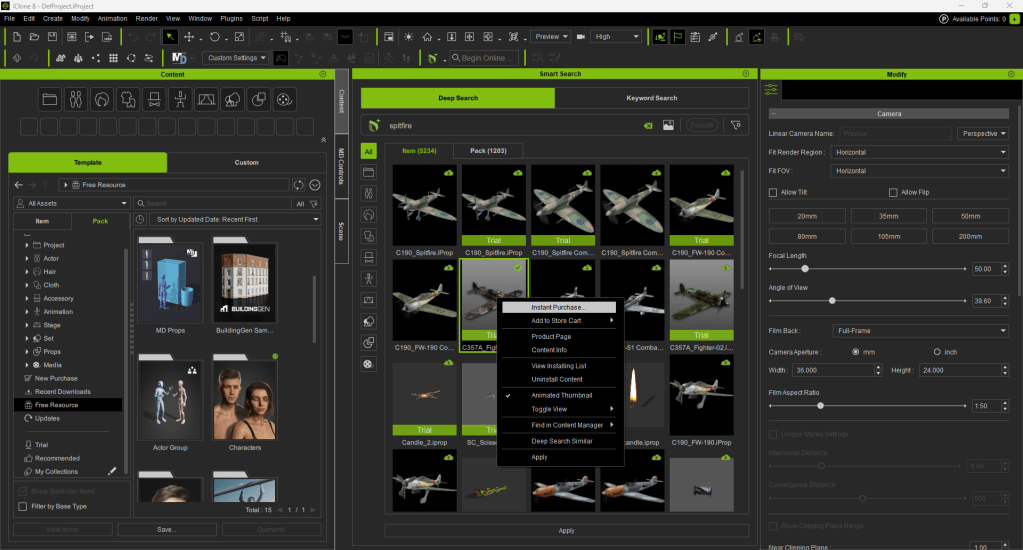
Here’s something a lot of people miss, which has really made adventurous projects more affordable for us. When you buy content through Smart Search inside iClone or Character Creator, you can choose the iContent version. It’s only usable within iClone & Character Creator, but it’s 70% cheaper than the export license version.
So if you’re building scenes, animations, or characters that stay inside the Reallusion ecosystem — which we do — iContent is the way to go. You still get full functionality and ability to render from iClone and Character Creator, and if you ever need to upgrade to export later (say, for Unreal or Unity), you can do that too. Without doubt, it’s made our projects more cost-effective and perfect for other small teams or solo creators who want to stretch their budget without compromising on quality.

Why It Matters for Small Teams
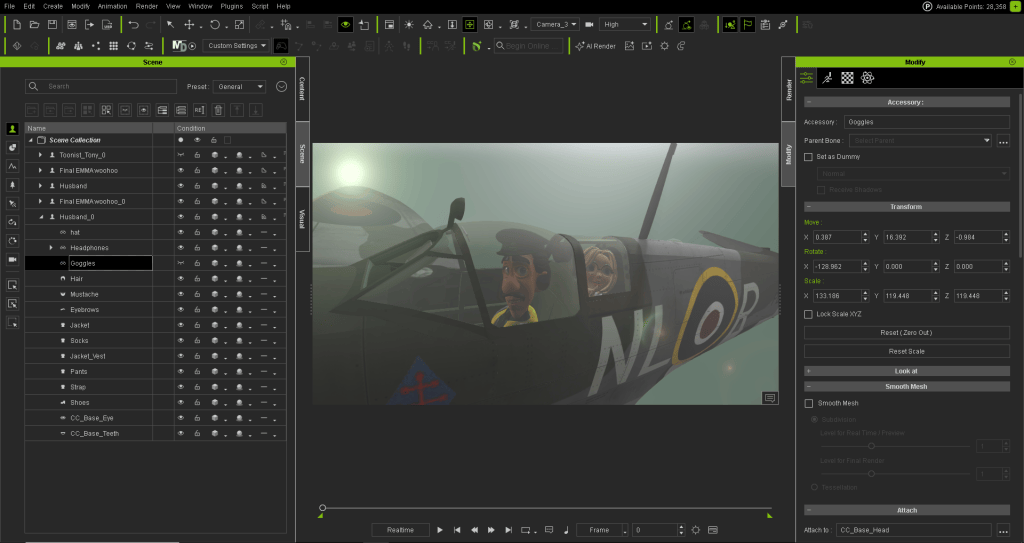
We’re a small team with big ideas. We don’t have time or cash to waste and the smart search really has saved us both time & cash. iClone’s Smart Search helps us stay lean and focused. It means we can build faster, collaborate better, and deliver projects on time. And because it’s built into the software, there’s no learning curve… it just works!
Final Thoughts
Smart Search isn’t just a nice extra — it’s a core part of how we work now. It helps us:
- Search across local assets, Reallusion’s Content Store, Marketplace, and ActorCore in one go.
- Preview and test assets before buying.
- Use DA points for quick, secure purchases inside the software.
- Save money with iContent when we’re working inside iClone or Character Creator.
- Stay focused and creative without interruptions.
If you’re using iClone or Character Creator and you haven’t tapped into Smart Search yet — give it a go! It’s one of those features that quietly transforms your workflow. And once you’ve used it, you won’t want to go back.

Related Posts