Did you know that you can get Apple Watch notifications that will remind you to charge your watch before you go to bed? This feature makes sure that you’ll be able to track your sleep without your watch running out of battery. I’ll teach you how to set up these useful Apple Watch alerts in just a few easy steps.
Why You’ll Love This Tip
- Never run out of battery on your Apple Watch.
- Protect your Apple Watch by never overcharging it or letting it drop to zero.
- Don’t miss out on sleep tracking by forgetting to charge.
How to Enable Charging Notifications on Apple Watch
System Requirements
This tip was performed on an iPhone 17 Pro Max and an Apple Watch Series 10. You’ll need an Apple Watch running watchOS 26 paired with an iPhone running iOS 26 or later for this tip to work. Find out how to update to the latest iOS and watchOS.
Want to get sleep charging reminders and battery full notifications on Apple Watch? I have used this feature for years and can’t imagine life without it! For more Apple Watch tips, don’t forget to check out our free Tip of the Day newsletter. Here’s how to set up these reminders to charge notifications:
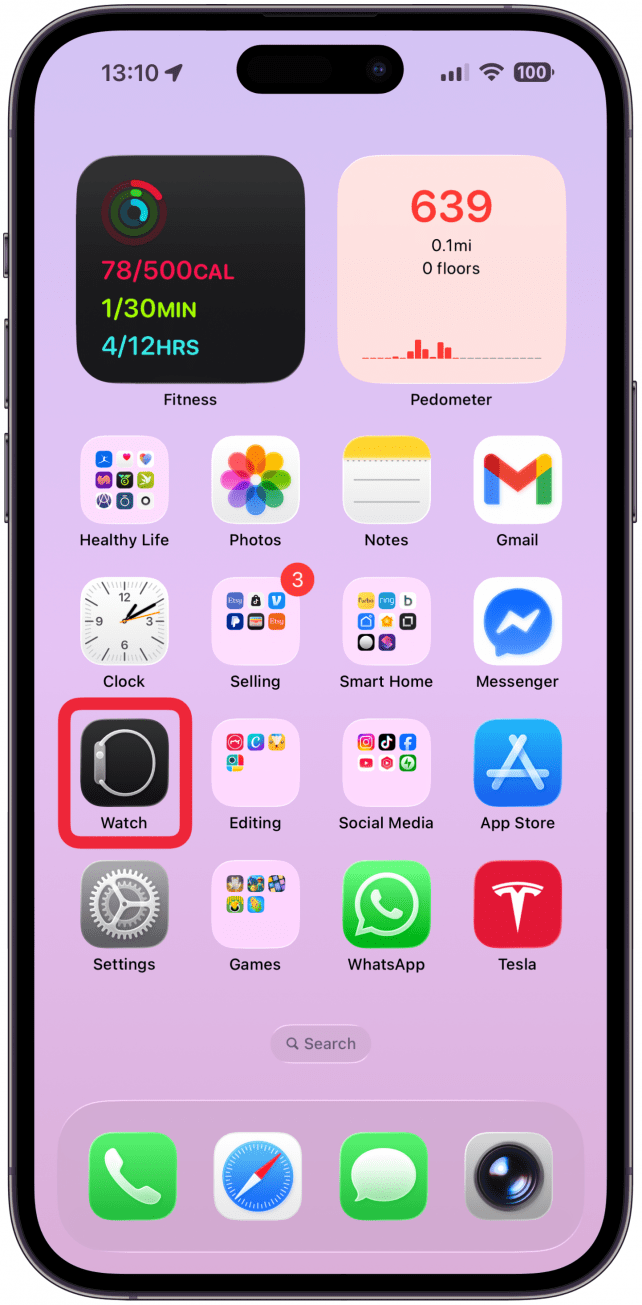
- Open the Watch app on your iPhone.
- Make sure you are on the My Watch tab, scroll down, and tap Sleep.

- Toggle on Charging Reminders.

Now you’ll get Apple Watch notifications on your iPhone to remind you to charge or start charging.
These Apple Watch charging iPhone notifications are a great tool to keep your watch charged enough to track your sleep. But it will also tell you when your watch is done charging, which can keep your battery life healthier in the long run, since keeping a fully charged watch charging can damage the battery.

Olena Kagui is a Feature Writer at iPhone Life. In the last 10 years, she has been published in dozens of publications internationally and won an excellence award. Since joining iPhone Life in 2020, she has written how-to articles as well as complex guides about Apple products, software, and apps. Olena grew up using Macs and exploring all the latest tech. Her Maui home is the epitome of an Apple ecosystem, full of compatible smart gear to boot. Olena’s favorite device is the Apple Watch Ultra because it can survive all her adventures and travels, and even her furbabies.