“The visible hook on LinkedIn is typically limited to the first 200-210 characters,” one marketer noted in a LinkedIn thread where people shared caption cheat sheets, because official guidance doesn’t exist.
You know that wall. You paste one caption into five apps and watch each one clip it in a different spot.
So, you searched for the ideal social media caption length and got chaos. Short wins, says one guide. Long wins, says another.
Both are right, just not about the same platform.
Here’s why. For every platform, “how long should my caption be?” really has three answers.
- The maximum words the platform lets you type.
- The length that gets the most likes and comments (avg engagement).
- And caption length the platform’s algorithm prefers to show people.
This guide gives you all three for 8 social media platforms, plus a workflow to apply them without rewriting every caption five times.
Why There Is No Single Ideal Caption Length
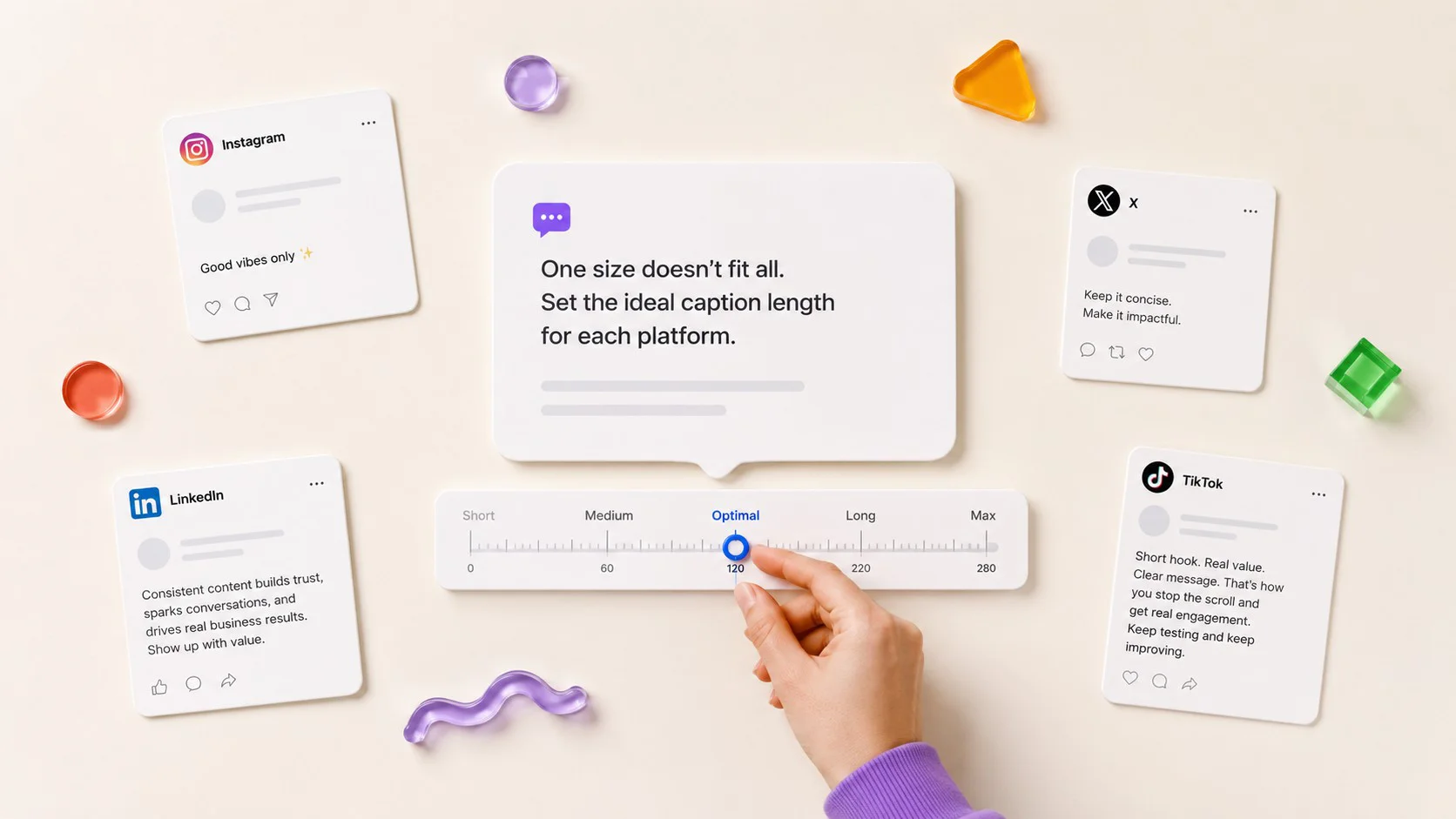
There isn’t one ideal social media caption length because every platform is built differently. Each platform sets its own character limit, hides captions at different points in the feed, and uses different ranking signals to decide which posts reach more people. That’s why a caption that performs well on LinkedIn may underperform on Instagram or TikTok.
Even on the same platform, the maximum caption length and the best-performing caption length are rarely the same.
The maximum character limit is simply a technical restriction, it defines the longest caption you’re allowed to publish. It doesn’t mean users will read that much text or that the algorithm will reward it. The best-performing length is based on how people actually engage with posts, such as reading, liking, commenting, sharing, or saving them.
For example, Instagram allows captions of up to 2,200 characters, but many studies have found that much shorter captions often generate higher engagement. LinkedIn also allows long posts, but longer, value-driven captions frequently outperform short updates because they encourage readers to spend more time on the post.
There’s also the cut-off point, the point where the platform hides the rest of your caption behind “More” or “See more.” If your opening lines aren’t compelling enough, many users won’t expand the post, no matter how good the rest of the caption is.
These three factors work together:
| Layer | What it is | Who sets it | What happens if you ignore it |
| Character limit | The maximum characters a platform lets you type in a caption | The platform, as a hard rule | Your caption gets rejected or cut off |
| Best length for engagement | The length that earns the most likes, comments, saves, and shares in large studies | Audience behavior, measured in data | Readers scroll past or drop off mid-caption |
| Cut-off point | The character count where the feed hides the rest behind “more” or “see more” | The platform’s feed design | Your hook or ask stays hidden, unseen |
That’s why there isn’t a single “ideal” caption length. The best approach is to understand all three and optimize your caption for the platform you’re publishing on, rather than using one universal length everywhere.
Next, let’s look at the platform-by-platform caption length recommendations.
| Platform | Hard limit (2026) | Best length for engagement | Cut-off point | Algorithm note |
| 2,200 chars | Under 30 words (roughly 125–150 chars) | 125 chars (“more”) | Sends and watch time outweigh likes | |
| 3,000 chars | 1,200–2,400 chars (200–400 words) | ~210 chars (“see more”) | Dwell time is the core signal | |
| 63,206 chars | 40–80 chars (8–15 words), old data | 477 chars desktop, 125 mobile | 2016 data; use as a rough guide | |
| X (Twitter) | 280 chars (25,000 Premium) | 141–280 chars (25–50 words) | None under 280 | Fuller tweets earned ~40% more retweets |
| TikTok | 4,000 chars | FYP: 50–150 chars. Search: 150–300 chars | ~80–100 chars (“more”) | Captions are indexed for search |
| YouTube (title) | 100 chars | 60–70 chars (9–12 words) | ~70 chars in search results | Titles are a primary ranking surface |
| YouTube (description) | 5,000 chars | Front-load first 150 chars (~25 words) | 150–200 chars in search | First lines feed search snippets |
| 500 chars | Front-load first 50–60 chars (~8–10 words) | ~50–60 chars in feed | Description text is search-indexed | |
| Threads | 500 chars (+10,000-char attachments) | Short and conversational; front-load line one | Feed shows a preview of attachments | 10,000-char text attachments since Sep 2025 |
Remember, the maximum character limit and the ideal caption length are not the same. Just because Facebook allows a long post doesn’t mean you should use the full limit. The engagement numbers are averaged, so your own account data and performance tracking will always be more valuable than any benchmark to improve engagement rate.
Each section below unpacks its row.
Ideal Instagram Caption Length
For most Instagram posts, keep your caption under 30 words (around 125–150 characters) and place your main message within the first 125 characters. That’s typically where Instagram hides the rest of your caption behind the “More” link.
| Metric | Recommendation |
| Character limit | 2,200 characters |
| Best-performing length | Under 30 words (125–150 characters) |
| Visible before “More” | About 125 characters |
A Socialinsider analysis found that shorter captions consistently generated higher engagement than longer ones. But that doesn’t mean every post should be short.
Instagram’s ranking system prioritizes signals like watch time, shares (DM sends), saves, and meaningful interactions over caption length. If a longer caption adds context, tells a story, or encourages saves and shares, it can still perform well.
So, write short by default. Go long only when the caption itself is the content. For the short version, start with these ways of writing Instagram captions that drive engagement.
Best Practices
- Lead with a strong hook in the first sentence.
- Put your key message before the “More” cut-off.
- Use longer captions only when they add value, such as storytelling, tutorials, or educational posts.
- Place hashtags at the end so they don’t distract from your opening.
| Above the Fold (First 125 Characters) | Below the Fold |
| Hook, bold statement, question, or benefit | Story, context, CTA, hashtags |
If someone reads only your first sentence, they should still understand why your post is worth opening.
How Long Should a LinkedIn Post Be
LinkedIn rewards thoughtful, value-driven content. For most posts, 200–400 words (around 1,200–2,400 characters) is an effective range, with your opening hook appearing within the first 200 characters before the “See more” prompt.
| Metric | Recommendation |
| Character limit | 3,000 characters |
| Best-performing length | 200–400 words |
| Visible before “See more” | Around 200–210 characters |
A 2026 Magicpost analysis found that engagement increased as posts became longer, with posts over 400 words earning significantly more likes, comments, and impressions than short updates.
| Post length | Median likes | Median comments |
| Under 25 words | 19 | 2 |
| 100–149 words | 25 | 5 |
| 200–299 words | 31 | 9 |
| 400+ words | 47 | 14 |
The reason isn’t simply length. LinkedIn favors posts that keep people reading and interacting. A well-structured post with useful insights encourages readers to spend more time on your content, which can improve distribution.
Why does long win here when short wins on Instagram? Dwell time. LinkedIn boosts posts that keep people reading.
Best Practices
- Start with an insight, surprising fact, or problem, not an announcement.
- Break long posts into short paragraphs for easier reading.
- Focus on one clear idea instead of covering multiple topics.
- End with a question or discussion prompt to encourage comments.
| Above the Fold (First 200 Characters) | Below the Fold |
| Hook, result, question, or bold claim | Supporting story, examples, takeaways, CTA |
If your first two lines don’t make someone click “See more,” the rest of your post won’t get read.
Content strategist Chris Donnelly, who built a 1.2 million follower LinkedIn audience, explains that “LinkedIn has replaced its entire ranking system for content with a single AI algorithm called 360 Brew,” and that it gives “three to five times more processing attention to the first one or two sentences.”
Length alone won’t save an empty post. Pair the numbers with LinkedIn post formats that get engagement.
Ideal Facebook Post Length
Facebook allows posts of up to 63,206 characters but longer isn’t always better. For most organic posts, short, clear captions tend to perform best because they’re easier to read and encourage people to interact.
If you’re sharing a simple update, question, or announcement, keep it brief. For educational posts or storytelling, write longer only if every sentence adds value.
Facebook Post Length Cheat Sheet
| Metric | Recommendation |
| Character limit | 63,206 characters |
| Recommended length | 40–80 characters for simple posts; longer when additional context adds value |
| Visible before “See more” | Around 125 characters on mobile and up to 477 characters on desktop |
Facebook’s algorithm prioritizes meaningful interactions such as comments, shares, and conversations. Rather than aiming for a specific character count, focus on writing captions that encourage people to engage.
Best Practices
- Put your key message in the first sentence.
- Ask a question or invite discussion whenever appropriate.
- Let images, videos, or carousels do the storytelling, while the caption adds context.
- Keep longer captions well-structured and easy to skim.
| Above the Fold | Below the Fold |
| Hook, key message, or question | Additional details, context, links, or CTA |
Write the shortest caption that clearly communicates your message. Add more only when it genuinely helps the reader.
Ideal X (Twitter) Post Length
Although X allows 280 characters for standard posts (and much longer for Premium users), concise posts with enough context generally perform best.
Aim to use most of the available space only when it adds value. A thoughtful post that explains an idea or sparks discussion is often more engaging than a one-line update.
X Post Length Cheat Sheet
| Layer | The number |
| Hard limit | 280 characters (25,000 for Premium subscribers) |
| Best length for engagement | 141–280 characters (25–50 words) |
| Cut-off point | None under 280; long Premium posts collapse behind “Show more” |
On X, engagement is driven more by what you say than how long it is. A clear opinion, useful insight, or interesting question is more likely to earn replies and reposts than a post padded with unnecessary words.
Best Practices
- Start with your main point.
- Add context only if it strengthens the message.
- Ask a question or share a strong opinion to encourage discussion.
- Turn longer ideas into a thread instead of one oversized post.
| Standard Posts | Premium Posts |
| Entire 280-character post is visible. | Longer posts are collapsed behind “Show more,” so make the opening lines count. |
Every sentence should add value. If you need more space to explain an idea, publish a thread instead of a single long post.
Ideal TikTok Caption Length for Video Posts
Should your TikTok caption be long or short? Both, depending on where you want the video found.
For the For You Page (the FYP, TikTok’s home feed), use 50 to 150 characters. For TikTok Search, where users type queries like they would on Google, use 150 to 300 characters written keyword-first.
TikTok Caption Length Cheat Sheet
| Layer | Recommendation | Why it matters |
| Hard limit | 4,000 characters | TikTok increased the limit from 300 to 2,200 characters in 2022, then to 4,000 in 2023. |
| FYP captions | 50–150 characters (10–25 words) | Best for grabbing attention in the For You feed. |
| Search captions | 150–300 characters (25–50 words) | Gives TikTok more context to index your content for search. |
| Caption preview | Around 80–100 characters | The rest is hidden behind “More.” |
Why TikTok Allows 4,000 Characters
Many guides still mention TikTok’s old 300-character limit, but that’s outdated.
TikTok expanded caption limits because captions are no longer just descriptions, they’re part of the platform’s search experience. Adobe’s 2026 survey of more than 800 consumers found that 49% of U.S. consumers now use TikTok as a search engine, up from 41% in 2024.
As a result, TikTok now supports two different caption strategies, depending on how you want people to discover your video.
Strategy 1: Short Captions for the For You Page (50–150 Characters)
For videos targeting the For You Page, keep your caption short and let the video do most of the storytelling.
Use one or two lines that create curiosity, highlight the payoff, or encourage viewers to keep watching. Since only 80–100 characters are visible before the “More” prompt, put your hook first.
Best for:
- Trends
- Entertainment
- Memes
- Lifestyle content
- Behind-the-scenes videos
Strategy 2: Keyword-First Captions for TikTok Search (150–300 Characters)
If you’re publishing tutorials, product reviews, local content, or educational videos, write your caption for search instead of the FYP.
Use natural keywords that describe exactly what the video is about.
Exploding Topics also recommends using keywords across multiple search surfaces, including:
- Caption
- Hashtags
- Voice-over (TikTok automatically transcribes it)
- On-screen text
Because TikTok indexes spoken words, saying your target keyword in the video can also improve discoverability.
For hashtags, think of them as search keywords, not reach boosters. Instead of broad tags like #fyp, use descriptive hashtags such as #budgetmeals or #socialmediatips. That’s the logic behind using TikTok hashtags as search terms.
How to Pick Per Video
| Your video | Strategy | Caption length |
| Trend, humor, entertainment | FYP | 50–150 chars (10–25 words) |
| Tutorial, how-to, educational, local | Search | 150–300 chars (25–50 words), keyword-first |
If your goal is engagement, keep captions short. If your goal is search visibility, give TikTok more context with a longer, keyword-rich caption.
Search-optimized captions may not generate instant viral views, but they can continue driving discovery long after the video is published.
YouTube Title and Description Length
Unlike most social platforms, YouTube titles and descriptions are built for both viewers and search engines. That’s why where you place your keywords matters more than how much you write.
Keep your title between 60–70 characters so it doesn’t get cut off in search results, and include your primary keyword and value proposition within the first 150 characters of your description.
According to YouTube Help, titles can be up to 100 characters, while descriptions support up to 5,000 characters.
| Field | Hard limit | Working length | Why it matters |
| Title | 100 characters | 60–70 chars (9–12 words) | Titles clip around 70 characters in search and suggested videos |
| Description | 5,000 characters | Front-load first 150 chars (~25 words) | Only the first 150–200 characters show in search snippets |
Optimizing YouTube Titles
Your title has one job: earn the click.
Although YouTube allows up to 100 characters, anything beyond 60–70 characters may be truncated in search results and recommendations. Make sure your primary keyword and the main benefit of the video appear before that point.
Optimizing YouTube Descriptions
Think of your description in two parts:
- First 150 characters: Include your primary keyword, explain what the video is about, and give viewers a reason to watch.
- Remaining content: Add timestamps, links, resources, product mentions, chapters, and any additional context.
The first section helps YouTube understand your content and often appears in search previews, while the rest provides supporting information for viewers.
Ideal Pinterest Caption Length
Pinterest isn’t a social feed in the traditional sense, it’s a visual search engine. That means your caption should help people discover your content, not just describe it.
According to Pinterest’s official documentation, Pin titles can be up to 100 characters and descriptions can be up to 500 characters. While some older guides still mention a 500-character limit, Pinterest’s current documentation sets the description limit at 800 characters.
Pinterest Caption Length Cheat Sheet
| Metric | Recommendation |
| Pin title limit | 100 characters |
| Description limit | 500 characters |
| Best practice | Put your primary keyword within the first 50–60 characters. |
| Visible preview | The first 50–60 characters carry the most weight in the feed and search results. |
Pinterest uses your title and description to understand what your Pin is about. Instead of writing vague captions like “You’ll love this!”, describe exactly what users will find.
For example, “Small backyard patio ideas on a budget” is far more descriptive and searchable than a generic promotional caption.
Best Practices
- Start with your primary keyword.
- Describe the topic clearly instead of using clickbait.
- Write naturally while including relevant search terms.
- Use the remaining description to add context or secondary keywords.
Treat Pinterest captions like search copy. The clearer your keywords, the easier your Pins are to discover.
Ideal Threads Caption Length
Threads is built for conversations, not search. While the platform supports longer posts, concise and conversational updates generally feel more natural in the feed.
Threads allow posts of up to 500 characters. Since September 2025, Meta has also introduced 10,000-character text attachments for longer-form content. However, the feed only shows a preview, making your opening sentence the most important part of the post.
Threads Caption Length Cheat Sheet
| Metric | Recommendation |
| Post limit | 500 characters |
| Long-form support | Up to 10,000-character text attachments |
| Best practice | Front-load your key message in the first sentence. |
| Visible preview | Users see only a preview before tapping to expand. |
For most posts, keep your message short and conversational. If you need to share detailed thoughts, articles, or announcements, use a long-form attachment and let the opening lines encourage readers to continue.
Best Practices
- Lead with your main point or opinion.
- Write like you’re starting a conversation, not publishing a blog post.
- Use long-form attachments only when additional context is genuinely useful.
- End with a question or discussion prompt to encourage replies.
Keep Threads posts conversational and front-load your first sentence. Save long-form attachments for content that truly needs more depth.
Paid social captions should be short, clear, and action-oriented. Unlike organic posts, ads have only a few seconds to capture attention, so every word should support your message.
Rather than aiming for a specific word count, focus on communicating your value proposition early and keeping the copy easy to scan.
| Placement | Best Practice | Why |
| Facebook Ads | Keep the primary text concise and lead with the main benefit. | Shorter copy is easier to scan across placements and devices. |
| Facebook Headline | Keep it brief and benefit-focused. | Short headlines are less likely to be truncated, especially on mobile. |
| Instagram Sponsored Posts | Keep the key message within the first 125 characters. | Ensures your offer is visible before the caption is truncated. |
| LinkedIn Sponsored Posts | Put the hook within the first 210 characters. | Matches the “See more” preview shown in the feed. |
Best Practices for Paid Captions
- Lead with the biggest benefit or offer.
- Make the first sentence clear and attention-grabbing.
- Let the image or video tell the story, the caption should reinforce it, not repeat it.
- Focus on one clear call-to-action instead of multiple messages.
- Test different caption lengths to see what resonates best with your audience and campaign objective.
How to Adapt One Caption for Every Platform (Without Rewriting It)
Creating captions for multiple platforms doesn’t mean starting from scratch every time. Write your core message once, then adapt it to fit each platform’s audience, format, and best practices.
1. Write a Master Caption
Start with the longest version of your message. Include your hook, supporting context, and call-to-action. This becomes the source for every other platform.
2. Make the First Line Count
Write a self-contained opening sentence that communicates the main idea immediately. Since most platforms truncate captions in the feed, a strong first line helps your content perform well everywhere from Instagram and LinkedIn to TikTok and Threads.
3. Adapt Instead of Rewrite
Trim or expand your master caption based on how people consume content on each platform.
| Platform | What to Keep |
| Full story with insights and context | |
| Hook plus one or two supporting lines | |
| Short, conversation-starting caption | |
| X | Main point with one reply-worthy detail |
| TikTok | Short hook for the FYP or a keyword-rich caption for Search |
| Rewrite using descriptive, search-friendly keywords | |
| Threads | Conversational version that encourages replies |
Instead of manually rewriting captions for every platform, use AI Pilot to generate platform-specific captions from a single idea or prompt. It automatically adapts the tone, length, and hashtags for each network.
4. Customize Platform Elements
The finishing touches should also change by platform.
- Add hashtags at the end of Instagram captions.
- Use descriptive hashtags as search keywords on TikTok.
- Keep hashtags minimal on LinkedIn, Facebook, and X.
- Optimize Pinterest titles and descriptions with relevant keywords.
5. Preview Before You Publish
Before scheduling, check how each caption appears in the feed. Make sure your hook is fully visible and the most important information isn’t cut off.
You can then preview posts for all platforms, make quick edits if needed, and schedule every version from the SocialPilot Scheduler, all without switching between multiple apps.
The Right Caption Length Depends on the Platform
There was never one universal ideal caption length. That is why the “short vs. long caption” debate keeps producing conflicting answers: short captions can win on Instagram, while longer posts often perform better on LinkedIn. Both can be true because each platform rewards different types of engagement.
Now you know three things for every major network: the maximum caption limit, the length range that tends to drive the most engagement, and what the algorithm favors.
The next step is simple: save the cheat sheet, use it while drafting this week’s captions, and track how your audience responds. Your own performance data will always matter more than any benchmark.
And when adapting one idea into multiple platform-specific versions becomes repetitive, a scheduler with built-in per-platform editing can handle the manual work. Tools like SocialPilot make it easier to customize, schedule, and analyze content across channels.