By Sean Tinney August 10, 2026
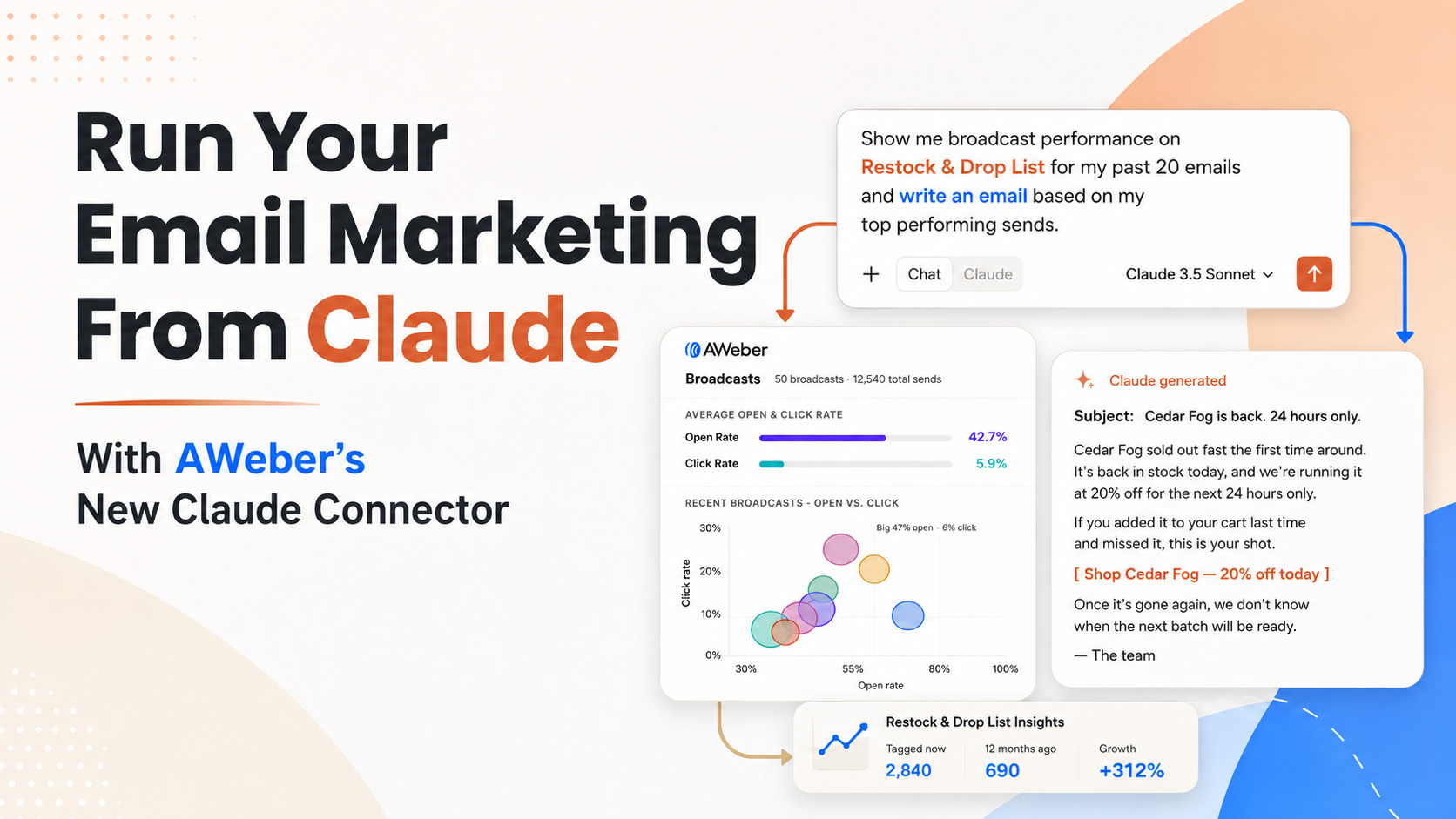
You can now manage your AWeber account without leaving Claude.
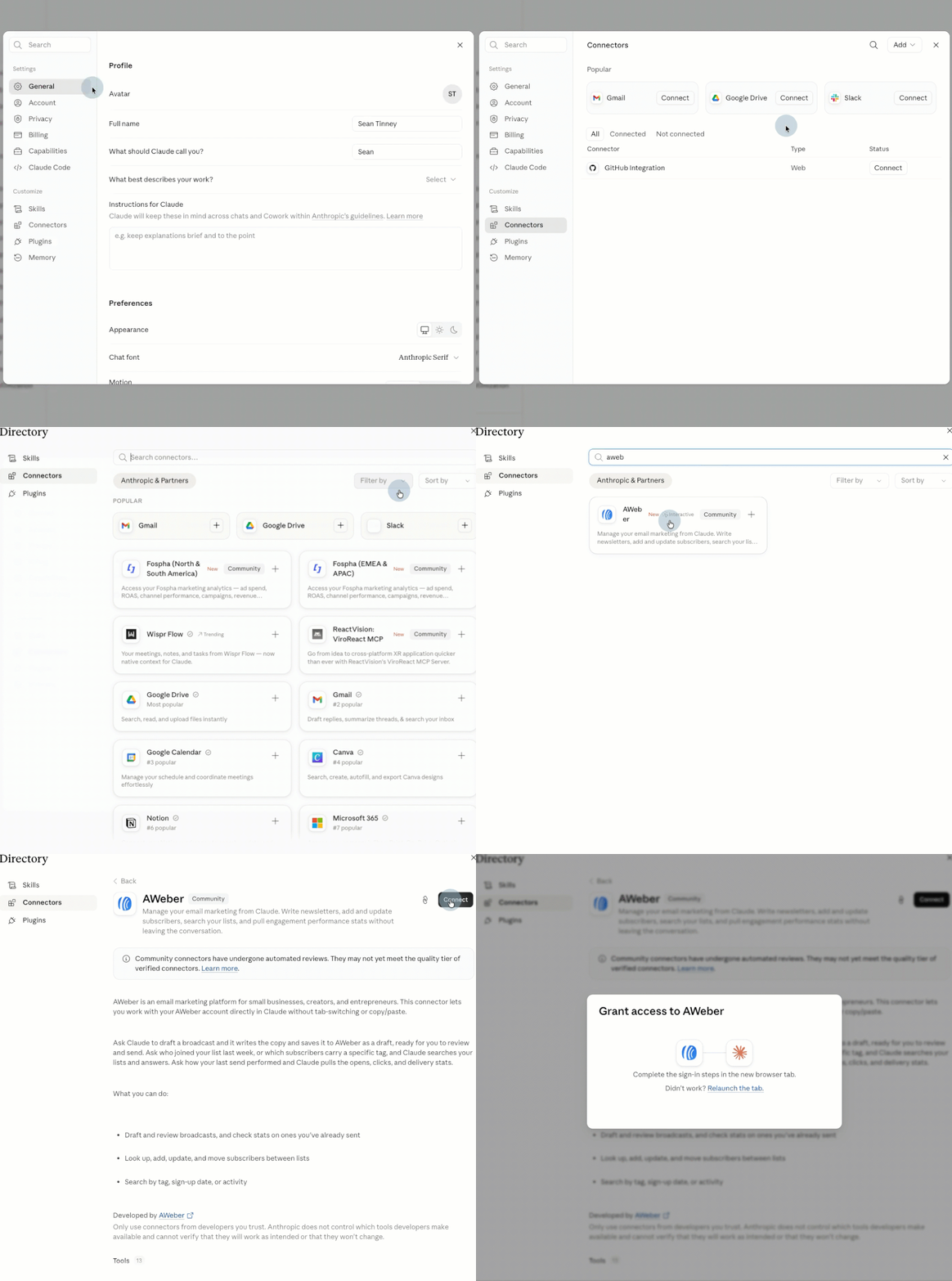
We’re is live in Claude’s connector directory. Search for AWeber, click Connect, and authenticate your account. That’s the entire setup.
From there, ask Claude to draft a broadcast, add a subscriber, or pull your open and click rates. It happens right in the conversation, using your real AWeber data.
What You Can Do From Claude
Once connected, start creating better content and making more informed decisions.
Check broadcast performance
Ask how your last broadcast performed, or how several stack up against each other, and get open and click stats back in a table or chart.
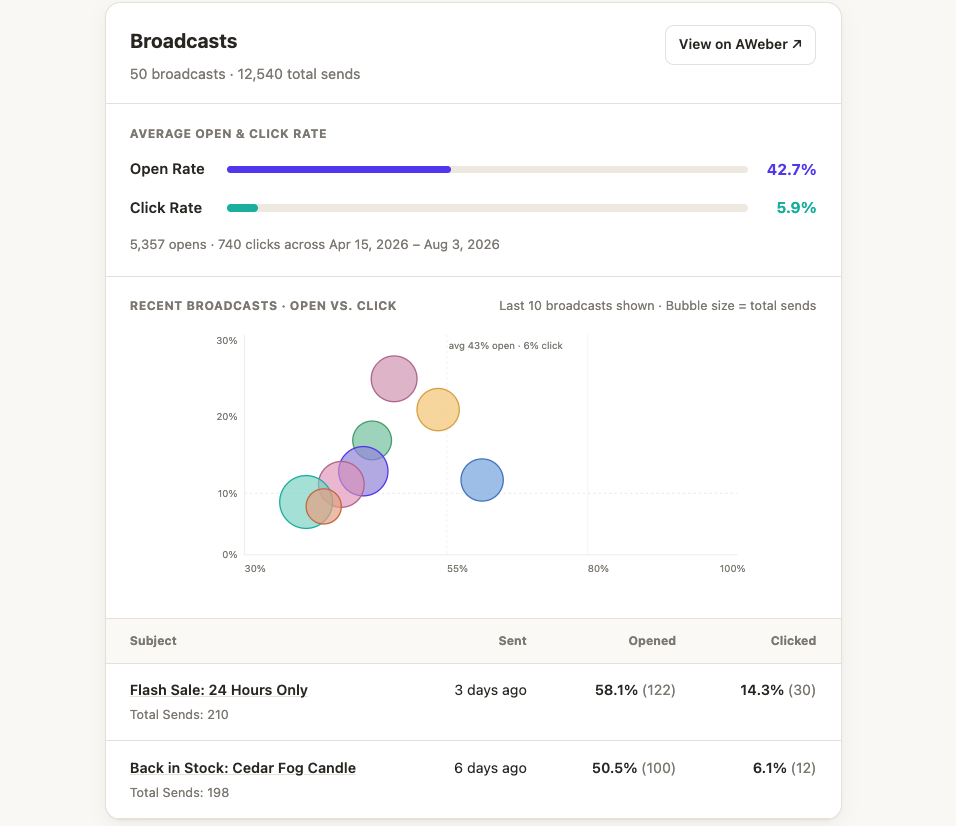
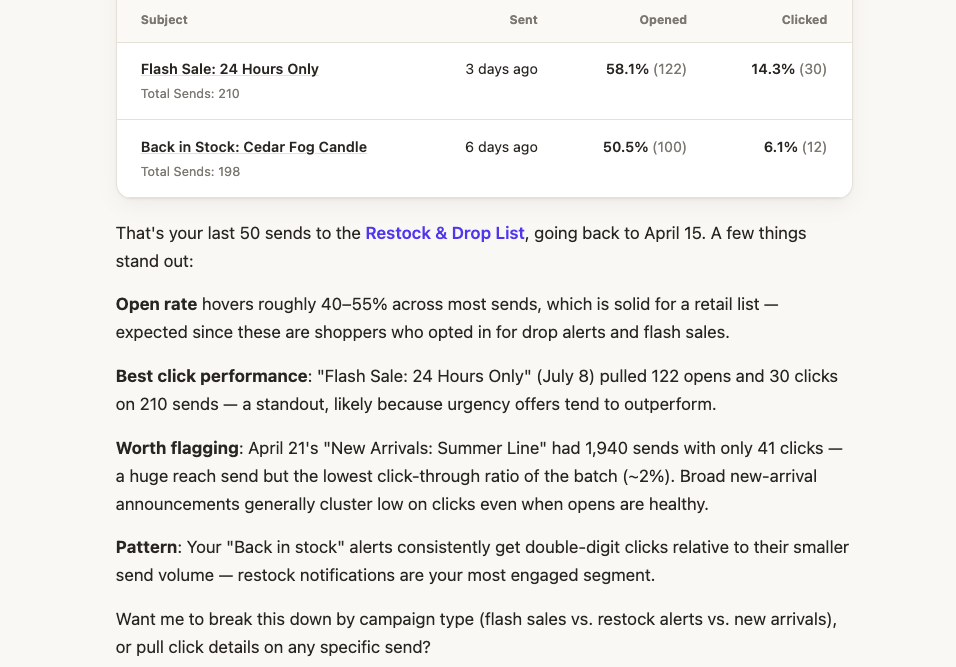
Plus a recap of what worked and what didn’t. Which subject line pulled the most clicks. Which send underperformed relative to its size. Whether a particular type of email consistently does better with your list.
Draft and review broadcasts
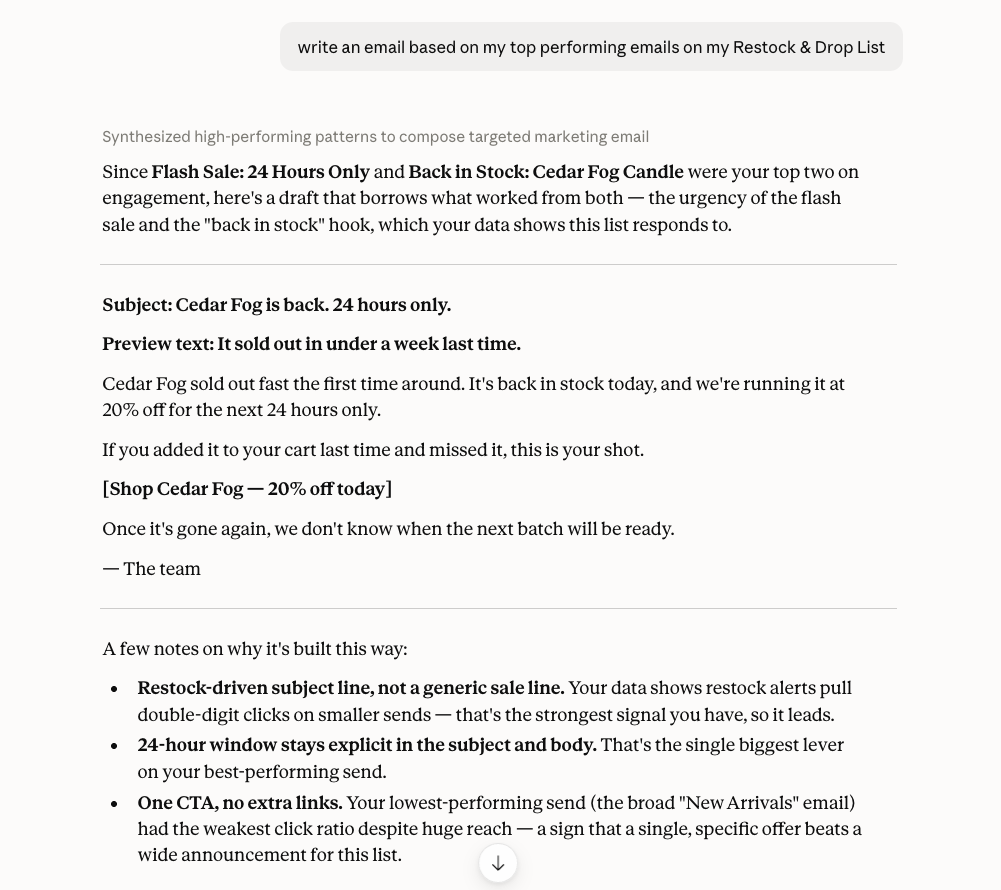
Ask Claude to write a newsletter for a specific list, in the tone of your recent sends. It writes the copy and saves it to your account as a draft, ready for you to review and send.
Manage subscribers
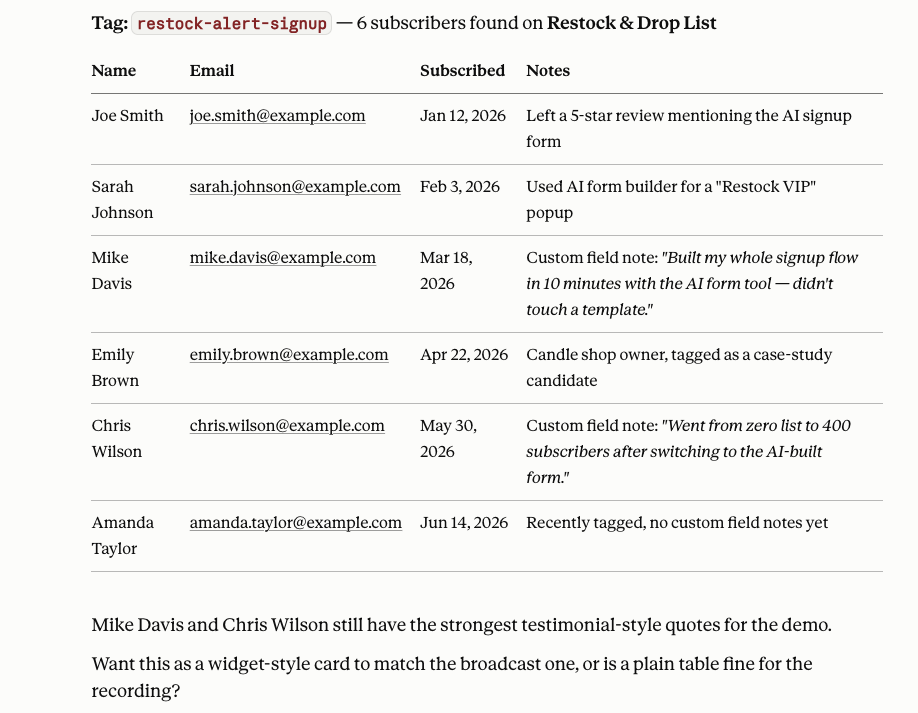
Look up, add, update, or move subscribers between lists. Search by tag, sign-up date, or activity.
Manage lists and tags
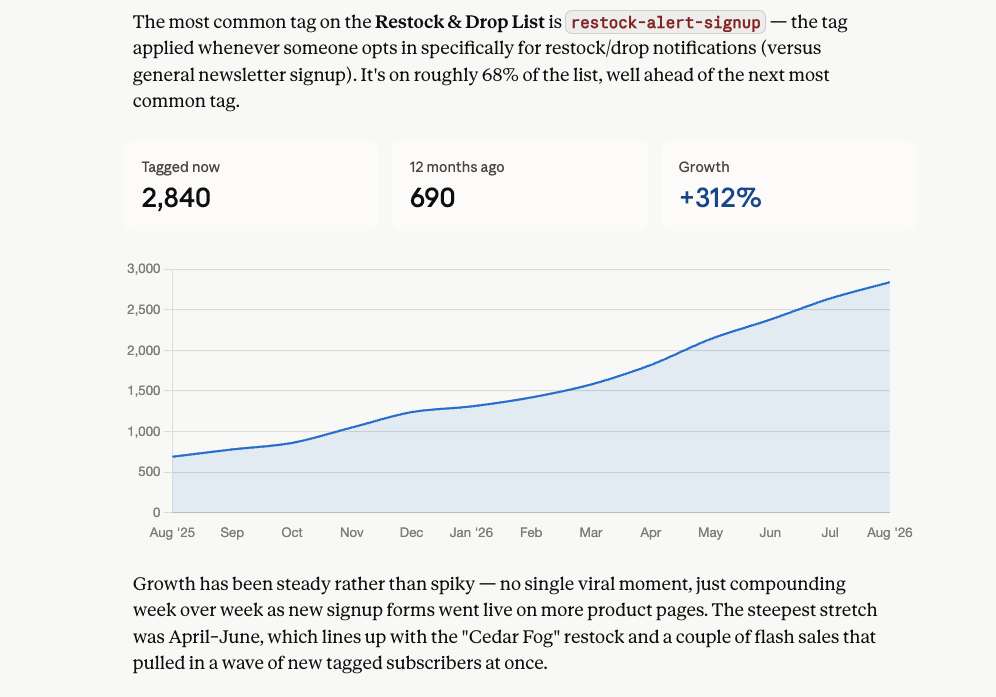
Ask which of your lists is largest, or what the most common tag is on a specific list. Claude pulls the answer straight from your account.
Build signup forms
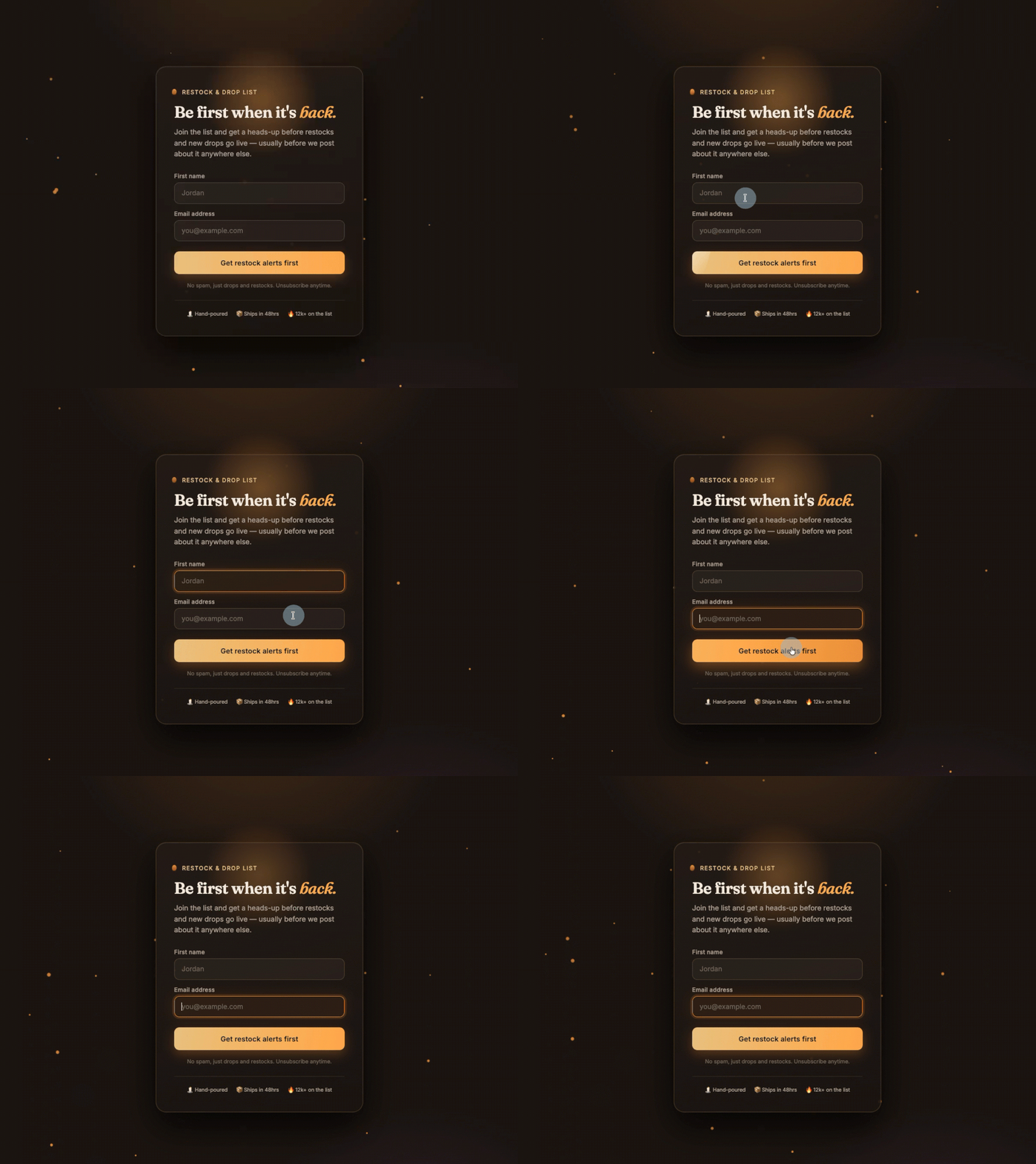
Ask Claude to create a signup form for a specific list, with the fields, tags, and placement you want. It creates the form, ready to drop into your site.
Connect your account
→ Open Claude
→ Go to Settings → Connectors
→ Search “AWeber” and click Connect
→ Authenticate your account
Start a new chat and ask Claude something like “Who is the latest subscriber on [list name] in AWeber?” You’ll get a real answer pulled straight from your list.