Every customer who can’t pay their way is a deal you lose. Cash now makes up only 14% of transactions, according to MakeMyReceipt. And it’s not a small gap: Visa’s Global Back to Business Study found that 41% of shoppers have walked away from a purchase because a store didn’t offer their preferred payment method.
Whether a customer wants to tap a card, use Apple Pay, or break a purchase into flexible payments, your point of sale needs to keep up. Without a modern card machine built for diverse payment options, you lose that revenue before the conversation even starts.
Here’s what this guide covers: the types of terminals out there, the real benefits they bring, and how to pick the right one for your business.
What Is a Credit Card Terminal for Business?
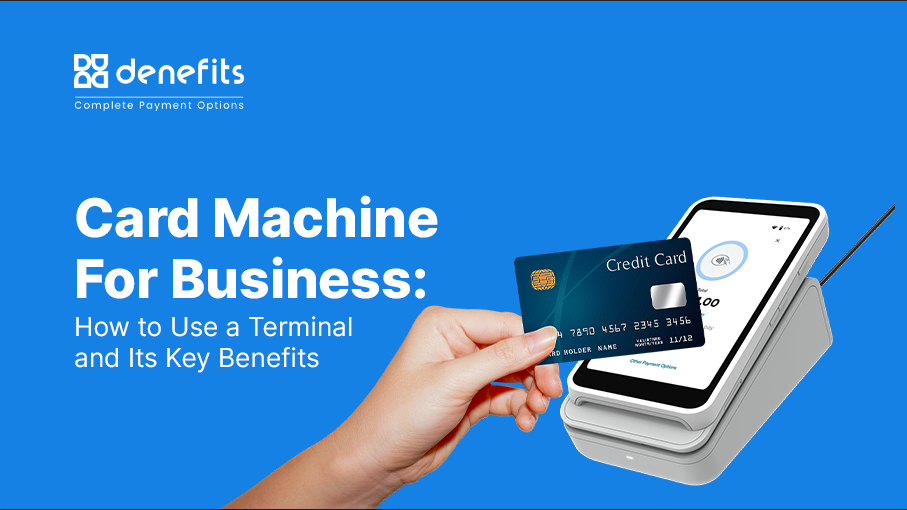
A credit card terminal is a machine that businesses use to take payments. It accepts credit cards, debit cards, and phone wallets like Apple Pay. You’ll find it right at the checkout counter.
Here’s how it works: the terminal reads the card. It checks with the bank to see if there’s enough money. Then it approves the sale — all in a few seconds.
Types of Card Machines for Small Businesses
1. Countertop Machines: These sit permanently on a counter and plug into a wall outlet and an internet cable. They are perfect for traditional retail stores.
2. Mobile Machines: These run on batteries and connect to Wi-Fi or cellular data. They are great for food trucks, delivery drivers, or tableside service.
3. Smart POS Systems: These advanced touchscreens process payments and also track store inventory and sales data.
Built to Keep Your Business Moving
Count on reliable Denefits Terminal performance for smooth, all-day checkout operations.
Parts of a Terminal
▶ The Reader: The slot or screen where customers swipe, insert a chip, or tap their card or phone.
▶ The Screen: The display that shows the total price and tells the customer what to do.
▶ The Keypad: The buttons used to type in a secret PIN or zip code.
▶ The Connection: The internal system that uses internet or phone lines to communicate with banks.
Key Benefits of a Credit Card Machine for Small Business
A modern credit card machine does more than take payments. It shapes how customers feel about your business. It also makes your operations run smoother. Speed and trust often decide if a customer comes back — and these upgrades help with both.
1. Customers Keep Coming Back
Customers notice when they can pay their way — card, chip, or tap-to-pay like Apple Pay and Google Pay. Less friction means happier customers. Happier customers come back.
2. Checkout Moves Faster
Modern terminals process payments fast. Confirmations are instant. POS integration speeds things up even more. Lines move quicker. For busy stores and restaurants, that speed means more customers served — and more revenue earned.
3. Your Data and Your Customers Stay Protected
Security isn’t optional anymore. Today’s terminals include PCI compliance, encryption, and fraud monitoring by default. This protects customer data. It also protects your business from breaches and unauthorized charges.
4. Payment Methods That Bend to Your Business
No two businesses work the same way. Modern terminals adapt to that. Need recurring billing for subscriptions? Want a loyalty program? Today’s hardware can handle it — built around how you sell.
5. Numbers That Actually Help You Decide
Many terminals track your sales patterns. They show your busiest hours, best sellers, and spending habits. That data helps you make real decisions — what to restock, when to run a promotion, how to staff your team.
6. A Smaller Paper Trail
Digital and emailed receipts cut down on paper waste. It’s a small shift. But eco-conscious customers notice, and it helps how your business is seen.
What to Look for in the Best Credit Card Terminal for Small Business
Choosing a terminal isn’t one-size-fits-all — it depends on how your business actually runs. Before you buy, weigh these factors:
➡ How you run your business: A single-counter shop with walk-in customers works fine with a countertop unit, while a business that serves customers at their table, curbside, or off-site needs something mobile.
➡ Payments-only vs. all-in-one systems: Some terminals just process cards—others double as a POS — tracking sales, managing inventory, and running reports. Decide if you want one device doing everything or separate tools that talk to each other.
➡ Transaction volume: Terminals vary in processing speed depending on their specs and connection type. Match your hardware to how many transactions you’re actually running, especially during peak hours.
➡ Need to move around: If the terminal has to travel between counters, floors, or locations, check its connectivity options, battery life, and how close it needs to be to a power source.
➡ Connectivity backup: If you’re in an area with spotty internet, or want protection against outages, look for terminals that can hold transaction data locally and sync once the connection’s back.
➡ Built-in protection: Reputable terminals meet PCI compliance standards and include safeguards for both your business and your customers. Check the security specs before you commit to a device.
Denefits: A Checkout Partner Built for Payment Flexibility
Most terminals do one job: process a payment and stop there. Denefits treats checkout as an opportunity, not just a transaction point.
1. Flexible payment paths, right at checkout
Denefits lets businesses offer the payment path that fits each customer — pay in full, a payment plan, financing, or a mix — right at the point of sale, instead of losing the sale to hesitation.
2. Built-in automated marketing
The terminal doubles as a marketing tool, prompting customers for reviews, rewards, and referrals right after checkout — turning a routine payment into ongoing growth for the business.
3. Every way a customer wants to pay
The Denefits Terminal accepts 50+ payment methods, including major cards and digital wallets like Apple Pay and Google Pay, so customers aren’t limited by how they carry money.
4. Funds without the wait
Completed payments can reach the business bank account almost immediately, rather than sitting in a standard payout cycle.
5. Quick to set up, easy to manage
Setup takes a few minutes — plug in, connect to WiFi, pair with the Denefits dashboard, and run a test transaction. Businesses with more than one location get a single dashboard with role-based access, so owners keep visibility without micromanaging every counter.
Turn More Checkouts Into Completed Sales
A sleek countertop upgrade—now $0 (save $399) for a limited time.
Closing Note
Choosing the right card machine isn’t just about processing transactions—it’s about removing barriers and giving customers the flexibility they expect. While traditional terminals handle basic swipe-and-go payments, modern solutions like the Denefits Terminal turn your point of sale into a growth engine with flexible payment plans, instant payouts, and automated customer marketing right on the screen.
By matching your hardware to your operational needs and payment workflow, you can protect your cash flow, speed up checkouts, and ensure you never lose a customer at the counter.
FAQs
Q. How do I get a credit card machine for a small business?
Open a merchant account with a payment processor, choose a terminal that fits your setup (countertop, mobile, or smart POS), and connect it to that account. Run a small test transaction to confirm everything’s working, and you’re ready to accept payments. Most providers, including Denefits, get you from unboxing to your first transaction in under 15 minutes.
Q. What should I know before choosing a credit card terminal for my business?
Choose hardware that fits your workflow. A fixed counter needs different hardware than a mobile or multi-location setup. Beyond the basics, look at transaction fees, security compliance, and whether you want a payments-only device or one that also handles POS functions like inventory and reporting.
Q. How do I get a credit card terminal for my business if I’m just starting out?
You don’t need an existing payment history or complex setup to begin. Sign up for a merchant account, select a terminal suited to your business type, and follow the provider’s setup steps — typically WiFi pairing, an admin PIN, and a test payment. Providers like Denefits are built for this kind of quick, no-technician setup.