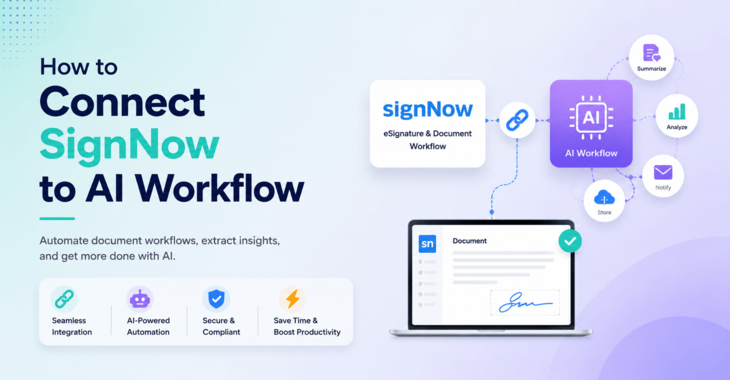
How to connect SignNow to AI workflow like ChatGpt & Claude, if this the question you have then you are at right place.
You can integrate SignNow into AI-powered workflows & automation tools through conversational assistants like ChatGPT and Claude, and no-code automation tools such as AI by Zapier.
If you’re still switching tabs to send a contract, check who hasn’t signed yet, or download a completed agreement, you’re doing more manual work than you need to in 2026.
Now SignNow plugs directly into the AI tools you’re probably already using every day, so you can prepare, send, track, and download signed documents without ever opening a separate dashboard.
In this guide, I’ll walk you through exactly how to connect SignNow to Claude and ChatGPT, & no-code automation tools such as AI by Zapier, what you can actually do once it’s connected, and a few real workflow examples to get you started.
Let’s learn SignNow AI Integration.
Disclosure: This post contains affiliate links.
How to Connect SignNow to AI Workflow
What Does “Connecting SignNow to AI” Actually Mean?
Under the hood, this integration runs on the SignNow MCP Server — built on the Model Context Protocol (MCP), the open standard that lets AI assistants like Claude securely connect to real-world tools and services.
Instead of Claude or ChatGPT only suggesting what to do with a document, the MCP server lets them actually execute eSignature actions inside your SignNow account: sending invites, checking status, downloading signed files, and more.
The practical result is simple:
A few things worth knowing before you set this up:
Now let’s get it connected.
1. Connecting via Chat Assistants (ChatGPT or Claude)
Here’s how SignNow AI integration workflow looks like in general:
- Open your AI assistant settings and go to the Apps or extensions marketplace.
- Search for SignNow –> Connect & Grant access.
- Use natural language prompts to list templates, prefill document fields, send agreements, and track signature statuses directly in the chat.
How to Connect SignNow to Claude
Prerequisites:
- You need a SignNow Active plan, which you can get from here
- You also need a premium version of Claude to integrate with SignNow
Here are the steps in action:
- Open Claude (web or desktop app) and go to Customise.
2. Search for the SignNow connector in the connector list, then click Connect.
3. Claude will open the SignNow authorisation screen. Log in with your SignNow credentials if you’re not already signed in. Click Grant access to SignNow to complete the connection.
4. That’s it. SignNow integration with Claude is done — SignNow is now available inside Claude. You can go back to Customise> Connectors > SignNow anytime to review permissions or disconnect it. Once connected, SignNow inside Claude works conversationally: you describe what you need, and Claude carries out the request using your live SignNow account.
How to Connect SignNow to ChatGPT
Setting SignNow up in ChatGPT takes a few more clicks since it’s added as a custom app, but it’s just as straightforward:
- Open chatgpt.com and sign in. Click your profile menu (bottom-left corner), then open Settings. Go to Apps > Click Add More
2. In the search window, type the app name SignNow. You will see the SignNow App. Click on that.
3. You will see the SignNow Window and Connect button at right top corner. Click on Connect.
4. A new tab will open to the SignNow authorisation flow. Log in if needed, then click Grant access to SignNow.
5. Open a new chat, click the + button, and select SignNow from the More dropdown.
6. You’re now ready to run eSignature workflows from inside ChatGPT the same way you would in Claude.
Note: SignNow also has a native app inside ChatGPT’s app directory as part of airSlate’s partnership with OpenAI, so depending on your account, you may be able to skip the custom-app setup entirely and add it directly from the Apps menu.
To disconnect either integration later, just head back to the respective connector/app settings and remove it.
Hope you are clear on this SignNow capability. You can read detail review of SignNow here in case you need a more in-depth understanding of SignNow capabilities; then read my article
2. SignNow integration with Zapier
Here are some benefits of integrating SignNow with Zapier
Connecting SignNow to Zapier turns your eSignature process into something that runs largely on its own. Instead of manually creating documents, sending invites, and updating records after every signature, Zapier lets SignNow talk to over 8,000 other apps — including Google Sheets, Microsoft 365, Mailchimp, and Dropbox — so those steps happen automatically, in real time.
In practice, that means a signed contract can trigger a chain of actions without anyone lifting a finger: a completed document gets saved to Dropbox, a row updates in Google Sheets, and a new contact syncs to your CRM, all from a single signature event.
The result is fewer manual handoffs, fewer chances for something to fall through the cracks, and document workflows that stay consistent whether your team is in sales, HR, legal, or operations.
The bigger win isn’t just time saved — it’s that your team gets to spend it on the work that actually needs a human, instead of babysitting a paper trail.
Here’s that as a step-by-step guide to connecting SignNow to Zapier
First, you need active accounts of both SignNow and Zapier.
If you dont’t have a SignNow account and you can explore SignNow plans on the pricing page here.
This is what it looks like:
What You Can Do With SignNow Inside Claude or ChatGPT
Once connected, the experience is nearly identical across both platforms. Here’s what you can ask for using plain language:
A typical end-to-end request might look like: “Find my consulting agreement template, prefill the client name and start date, generate the document, and send it to the client for signature.” One prompt replaces what used to be four or five separate steps across tabs.
Real SignNow AI Workflow Examples
Here’s what this looks like for a few common use cases:
Automating SignNow With Scheduled AI Tasks
This is where the integration goes from “convenient” to genuinely time-saving. Instead of prompting Claude every time, you can set up recurring, scheduled tasks that run in the background:
This turns eSignature from something you actively manage into something that just happens — agreement execution running quietly alongside your other work instead of sitting on your to-do list.
Other AI Tools SignNow Supports
Because the SignNow MCP Server is built on an open standard, it isn’t limited to Claude and ChatGPT. It’s also compatible with:
That flexibility matters if you’re scaling beyond one-off prompts into full agentic workflows — for example, an AI agent that generates a contract, routes it for signature, and files the signed copy automatically, without a human triggering each step.
Is It Safe to Connect SignNow to AI Workflows
Since this connects an AI assistant to legally binding documents, it’s worth understanding the guardrails:
As with any AI-connected tool that can take real actions, it’s good practice to review a prompt before confirming a send — especially for anything going to an external signer.
FAQs: How to Connect SignNow With AI
Do I need a paid SignNow plan to use the AI integration?
No — you can connect SignNow to Claude or ChatGPT on any active SignNow plan, including trial accounts. If you want to use a paid plan, then here are details about the SignNow Paid Plan
Does Workflow runs same in ChatGPT and Claude?
Yes. Setup differs slightly (Claude uses a built-in connector; ChatGPT currently requires adding it as a custom app via the MCP URL, or the native app where available), but once connected, the day-to-day experience of prompting for signature workflows is nearly identical.
Can the AI actually sign documents on my behalf?
What if I don’t see the SignNow connector in Claude or the option to create a custom app in ChatGPT?
For Claude, confirm connector access is enabled for your account/environment. For ChatGPT, make sure Apps and Developer mode are turned on under Settings.
Is the SignNow MCP Server open-source?
Can I use this to build my own AI agent instead of using ChatGPT or Claude directly?
Yes — since it’s built on MCP, developers can connect it to frameworks like LangChain and LlamaIndex to build fully custom signing agents.
Final Thoughts
Connecting SignNow to Claude or ChatGPT is one of those small setup steps that pays off almost immediately — it collapses a multi-step, multi-tab process into a single prompt, and it’s included on any active SignNow plan with no extra tooling required.
If you’re already using either assistant daily, it’s worth the five minutes it takes to connect it.
Ready to try it yourself?
Get started with SignNow here and connect it to your AI assistant of choice in a few minutes.