Lenovo IdeaPad Slim 3i 15 (Gen 11) Review

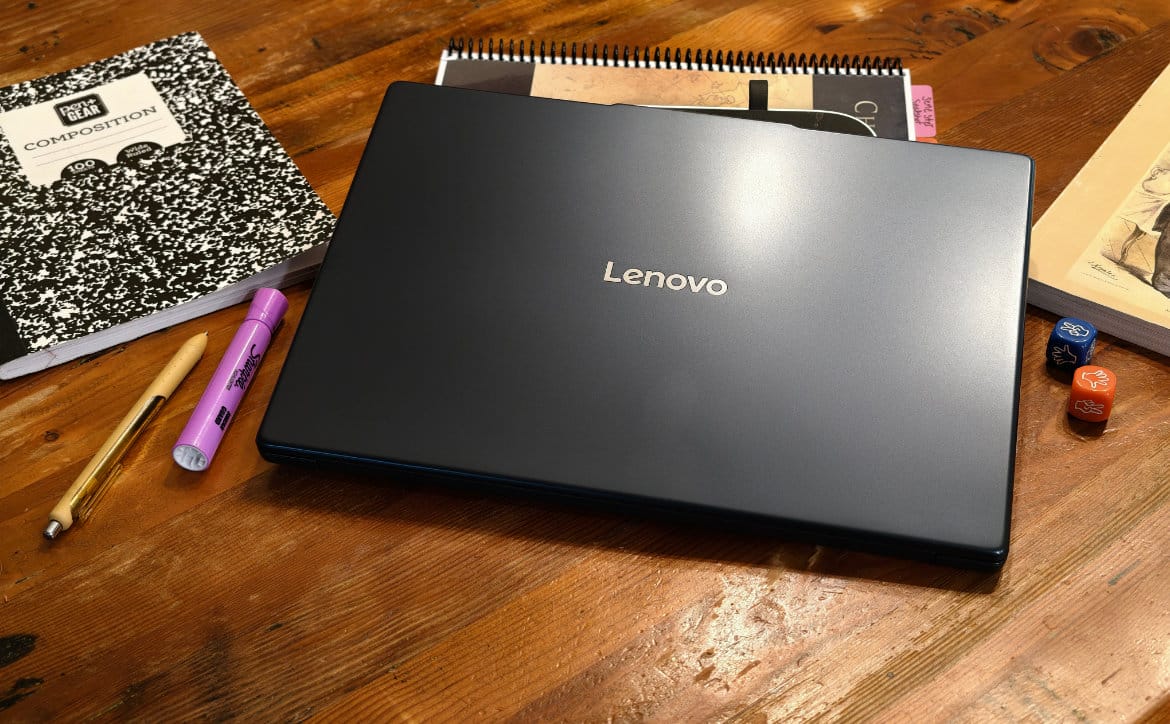

I review a ton of premium and high-end laptops made mostly for content creators, gamers, and businesses. But not everyone needs that much power or can afford those laptops. That’s where the Lenovo IdeaPad Slim 3i 15 (Gen 11) comes in. This laptop isn’t going to appeal to the aforementioned users, but it will appeal to students and families. I think especially for families looking to get a solid laptop for their kids to use for schoolwork and that the family can use as a casual entertainment hub.
15–22 minutes
The Lenovo IdeaPad Slim 3i 15 (Gen 11) isn’t going to break records for high-performance muscle. Nor is it going to win awards for design and build. But what it will do is carry the weight a student and their family needs during this new school year as well as the next. Let’s find out what this affordable Intel laptop can do and what it can’t do. Let’s get into the review.
The Quick Take
Ultimately, the Lenovo IdeaPad Slim 3i 15-inch in Cosmic Blue proves to be a well-balanced, sensible portable workstation for everyday computer users. It manages to sidestep the clunky, heavy feel of traditional 15-inch budget notebooks by pairing a slim, durable 3.5-pound frame with a 120Hz 16:10 touchscreen that genuinely elevates your day-to-day visual comfort.
Add in a comfortable full-sized typing deck, dependable Intel processing, user-expandable memory, and the convenience of charging over USB-C or the included barrel plug, and you have a machine that tackles work and study routines with minimal fuss.
But cost-cutting measures are evident once you push past general productivity tasks. The chassis is primarily plastic and shows fingerprints almost immediately, the integrated graphics cannot handle modern AAA gaming, the older HDMI 1.4 port limits external display flexibility, and the battery will struggle to survive a full ten-hour day away from an outlet.
Because of those realities, you should avoid this laptop if you need a gaming rig, a professional digital content creation station, or an ultra-long battery road warrior. Instead, this Lenovo IdeaPad Slim 3i 15-inch is tailor-made for students, home office workers, and everyday users who want a stylish, durable 15-inch Windows laptop with a fluid touchscreen and plenty of screen real estate without having to spend flagship money. Basically, it’s for the basics.
Score and Bottom Line
Lenovo IdeaPad Slim 3i 15 (Gen 11)
MSRP: USD 849.00

NAILED IT
- Smooth 120Hz Touchscreen
- Distinct Cosmic Blue Styling
- Capable Daily Performance
- User-Upgradeable Hardware
- Flexible USB-C Power Delivery
- Practical Port Selection
- Comfortable Full-Sized Keyboard
NEEDS WORK
- Fingerprint Magnet Chassis
- Older HDMI 1.4 Specification
- Weak Gaming Performance
- Trackpad Pivot Dead Zone
- Modest Mixed Battery Life
SCORE: 8.9 out of 10
Ultimately, the Lenovo IdeaPad Slim 3i 15-inch in Cosmic Blue proves to be a well-balanced, sensible portable workstation for everyday computer users. It manages to sidestep the clunky, heavy feel of traditional 15-inch budget notebooks by pairing a slim, durable 3.5-pound frame with a 120Hz 16:10 touchscreen that genuinely elevates your day-to-day visual comfort.
The Lenovo IdeaPad Slim 3i 15 (Gen 11), particularly this Best Buy Cosmic Blue configuration, shows a laptop that punches above its mid-tier price class by getting the daily fundamentals right. While budget-friendly PCs are usually dressed in monotonous silver or drab gray plastics, Lenovo gave this chassis a rich, dark navy hue that stands out among the crowd.
Tipping the scales right around 3.5 pounds with a 17.9mm profile, it achieves a 10 percent slimmer footprint than its predecessor while maintaining MIL-STD-810H durability certification, meaning it can easily survive daily backpack transit between home, classes, or the office without feeling fragile.
The centerpiece of the user experience is its spacious 15.3-inch IPS touchscreen, which trades old-school widescreen bars for a taller 16:10 aspect ratio at 1920 x 1200 resolution, backed by a smooth 120Hz refresh rate, 100 percent sRGB color coverage, and 400 nits of brightness that make web browsing, documents, and spreadsheets look remarkably fluid.
Under the hood, the Lenovo IdeaPad Slim 3i 15 (Gen 11) pairs Intel’s new Core 7 processor platform with 16GB of fast DDR5-5600 memory and a 512GB PCIe Gen 4 solid-state drive. For general productivity, office suites, heavy web multitasking with dozens of browser tabs, and light media editing, the system delivers responsive, snarl-free operation backed by integrated Intel Graphics and onboard NPU acceleration for Copilot AI tasks.
You also get an expansive, comfortable keyboard deck complete with a dedicated numeric keypad (something I do not like, but I understand its utility), alongside a generous array of ports including a full-sized SD card slot and a versatile USB-C connection that supports Power Delivery and display out, meaning you can leave the proprietary barrel-jack charger at home and top off using a standard phone or tablet charger.
However, keeping retail pricing grounded required Lenovo to make a few familiar budget compromises in the Lenovo IdeaPad Slim 3i 15 (Gen 11) chassis materials, port generations, and gaming muscle. I guess the idea here is to temper your expectations.
What’s Great About the Lenovo IdeaPad Slim 3i 15 (Gen 11)?
- Smooth 120Hz Touchscreen: The 15.3-inch 16:10 WUXGA IPS panel delivers crisp 1200p clarity, responsive 10-point touch input, full 100 percent sRGB color, and a fluid 120Hz refresh rate that makes scrolling through documents and web pages effortless.
- Distinct Cosmic Blue Styling: The deep blue exterior finish provides an attractive, premium visual identity that breaks away from typical cheap silver budget designs.
- Capable Daily Performance: Powered by Intel’s Core 7 silicon with 16GB of DDR5 RAM and a fast 512GB SSD, handling everyday office workloads, school assignments, and multitasking feels snappy.
- User-Upgradeable Hardware: Unlike many thin modern laptops that solder everything down, this chassis features an accessible SO-DIMM slot letting you expand system memory up to 32GB down the road.
- Flexible USB-C Power Delivery: While it includes a round-tip DC power adapter in the box, the full-function USB-C port supports 45W to 65W Power Delivery charging from standard universal adapters.
- Practical Port Selection: Includes two USB-A ports, a full-sized SD card reader, HDMI, and USB-C with DisplayPort out, reducing the need for external USB hubs.
- Comfortable Full-Sized Keyboard: Features well-spaced keys with good tactile travel, a low-noise profile, and a dedicated numeric keypad for fast spreadsheet data entry.
What Needs Work or Might Be an Issue for Some?
- Fingerprint Magnet Chassis: The smooth Cosmic Blue lid and plastic keyboard deck show skin oils and fingerprint smudges quickly, requiring frequent wipe-downs to stay clean. If you even care.
- Older HDMI 1.4 Specification: The dedicated HDMI port is capped at the older 1.4 standard, limiting external 4K monitors to a jerky 30Hz unless you route your video output through the USB-C port instead.
- Weak Gaming Performance: Integrated Intel Graphics struggle with modern gaming titles, resulting in stuttery 30 FPS gameplay even on low graphical presets in demanding games.
- Trackpad Pivot Dead Zone: The multi-touch trackpad tilts on a physical top pivot to register clicks, which can cause missed clicks if your finger presses near the upper edge.
- Modest Mixed Battery Life: While factory testing touts all-day numbers, real-world mixed usage with moderate screen brightness and the 120Hz refresh rate active yields closer to 6 to 8 hours of runtime away from the plug.

Affiliate Link Disclosure
In some of our articles and especially in our reviews, you will find Amazon or other affiliate links. As Amazon Associates, we earn from qualifying purchases. Any other purchases you make through these links often result in a small amount being earned for the site and/or our writers. Techaeris often covers brand press releases. Doing this does not constitute an endorsement of any product or service by Techaeris. We provide the press release information for our audience to be informed and make their own decision on a purchase or not. Only our reviews are an endorsement or lack thereof. For more information, you can read our full disclaimer.
Lenovo IdeaPad Slim 3i 15 (Gen 11) Specifications
| Category | Available Options / Specs | ✅ Reviewed Configuration |
|---|---|---|
| Model / SKU | Lenovo IdeaPad Slim 3 15IWC11 (83RR0000US) • Other Gen 11 configurations | ✅ Lenovo IdeaPad Slim 3 15IWC11 (83RR0000US) |
| Price | $849.99 (Best Buy) • Varies by retailer | ✅ $849.99 as reviewed |
| Processor | Intel Core 7 350, 6C (2P + 4LPE) / 6T, Max Turbo up to 4.8GHz, 6MB Intel Smart Cache | ✅ Intel Core 7 350 |
| Operating System | Windows 11 Home | ✅ Windows 11 Home |
| Graphics | Integrated Intel Graphics | ✅ Integrated Intel Graphics |
| Memory | One DDR5 SODIMM slot, 16GB DDR5-5600 | ✅ 16GB DDR5-5600 |
| Storage | 512GB SSD M.2 2242 PCIe 4.0×4 NVMe | ✅ 512GB PCIe 4.0×4 NVMe SSD |
| Display | 15.3″ WUXGA (1920×1200) IPS 400nits Anti-glare, 100% sRGB, 120Hz, Touch | ✅ 15.3″ WUXGA IPS touchscreen, 120Hz, 400 nits, anti-glare, 100% sRGB |
| Camera | HD 720p with Privacy Shutter | ✅ HD 720p with Privacy Shutter |
| Wireless | Wi-Fi 6, 802.11ax 2×2 + BT5.3 | ✅ Wi-Fi 6, BT 5.3 |
| Ports | • 2x USB-A (USB 5Gbps / USB 3.2 Gen 1) • 1x USB-C (USB 5Gbps / USB 3.2 Gen 1), with USB PD 45-65W and DisplayPort 1.2 • 1x HDMI 1.4 • 1x Headphone / microphone combo jack (3.5mm) • 1x SD card reader • 1x Round tip power connector |
✅ 2x USB-A, 1x USB-C, HDMI 1.4, headphone/mic jack, SD card reader, round tip power connector |
| Audio | Stereo speakers, 2W x 2, optimized with Dolby Audio, Dual-microphone array | ✅ Stereo speakers 2W x 2 (Dolby Audio), dual mics |
| Keyboard | 6-row, multimedia Fn keys, English | ✅ English 6-row backlit keyboard |
| Touchpad | Buttonless Mylar multi-touch touchpad, supports Precision TouchPad (PTP), 75 x 120mm (2.95 x 4.72 inches) | ✅ 75 x 120mm Precision Touchpad |
| Battery | 50 Wh, Rapid Charge Boost (2hrs of runtime in 15 min) | ✅ 50 Wh, Rapid Charge Boost |
| Chassis / Color / Material | Cosmic Blue, PC-ABS (top), PC-ABS (bottom) | ✅ Cosmic Blue, PC-ABS chassis |
| Dimensions | 343.4 x 239.5 x 17.9–18.9 mm (13.52 x 9.43 x 0.70–0.74 inches) | ✅ 13.52 x 9.43 x 0.70–0.74 inches |
| Weight | Starting at 1.59 kg (3.51 lbs) | ✅ 3.51 lbs |
| Security | Firmware TPM 2.0 | ✅ Firmware TPM 2.0 |
| In the Box | Laptop, 65W power adapter/charger, documentation | ✅ Laptop, 65W power adapter |
What’s in the box?
- Lenovo IdeaPad Slim 3i 15 (Gen 11)
- 65W Power Adapter
- Documentation
Design

The exterior build, aesthetics, and structural design of the Lenovo IdeaPad Slim 3i 15 (Gen 11) reveal a refreshingly slim everyday portable that makes a strong first visual impression while remaining rooted in budget-conscious construction. Dressed in an attractive Cosmic Blue colorway, the deep navy hue looks understated and distinct on a desk, providing a tasteful alternative to the sea of generic silver and gray laptops flooding the entry-to-midrange market.
Lenovo managed to shave about ten percent off the profile compared to the prior generation, bringing thickness down to 17.9 millimeters and total weight to a manageable 3.51 pounds, making it surprisingly effortless to toss into a backpack and haul between lecture halls or coffee shops. You also get the practical utility of a 180-degree lay-flat hinge for easy collaboration around a table, paired with MIL-STD-810H military-grade durability certification to handle ordinary backpack jostling, temperature shifts, and minor bumps.

But the chassis is constructed almost entirely of PC-ABS plastics rather than rigid machined aluminum, and you can definitely feel that cost-saving measure once hands are on the device. There is noticeable deck flex if you press firmly around the center of the keyboard or trackpad; the lid exhibits some torsion wobble when opening with one hand, and the smooth Cosmic Blue finish is an unapologetic fingerprint and palm-oil magnet that requires steady microfiber wipe-downs to stay presentable.
Still, for a 15.3-inch workhorse, balancing a lighter, thinner footprint with military-spec drop durability and a stylish deep blue aesthetic delivers a practical, well-proportioned package for daily commuting and general desk use.

Display
The Lenovo IdeaPad Slim 3i 15 (Gen 11) display highlights what is easily the standout hardware feature of the entire notebook. Rather than cutting corners with a dim, letterboxed 16:9 panel like so many budget mid-rangers do, Lenovo equipped this model with an expansive 15.3-inch IPS touchscreen sporting a productive 16:10 aspect ratio at 1920 x 1200 resolution.
That extra vertical real estate gives you noticeably more breathing room for reading long articles, balancing spreadsheets, and stacking browser windows side-by-side. Even better, it runs at a fluid 120Hz refresh rate, making cursor tracking, UI animations, and web page scrolling feel remarkably slick and responsive compared to standard 60Hz office displays.

The panel reaches a solid 400 nits of peak brightness with full 100 percent sRGB color coverage and an anti-glare finish, which keeps text sharp and colors vibrant enough to combat harsh overhead fluorescent lighting in classrooms or coffee shops. Pair that with responsive 10-point multi-touch input and a 180-degree lay-flat hinge that makes sharing the screen across a conference table effortless, and you get a bright, fluid display experience that punches well above its price class for everyday productivity and streaming.
But while 100 percent sRGB is plenty punchy for office work and YouTube videos, it lacks the wider DCI-P3 or AdobeRGB gamut coverage needed for serious color-grading photography work, and pushing 400 nits at 120Hz will steadily accelerate battery drain if you work away from a charger. Still, for general computer users and students who spend hours staring at documents, the combination of 120Hz smoothness, 16:10 workspace, and comfortable anti-glare brightness makes this Lenovo IdeaPad Slim 3i 15 (Gen 11) screen an absolute joy to use every day.

Software
Diving into the software load and preinstalled bloat on the Lenovo IdeaPad Slim 3i 15 (Gen 11) reveals a familiar consumer setup that mixes genuinely useful system utilities with an annoying number of promotional clutter that demands an immediate first-day cleanup.
On the positive side of the ledger, Lenovo Vantage serves as the central hardware dashboard, giving you easy, single-click access to critical device controls like battery conservation mode to prolong cell health while docked at a desk, rapid charging toggles, thermal fan profiles, and automated driver updates without needing to dig through BIOS menus.
But Lenovo packed this machine with the typical consumer bloatware loadout, starting with an aggressive McAfee LiveSafe security trial that constantly pesters you with pop-up warnings and scare-tactic renewal prompts until you completely scrub it from the drive. You also get unnecessary branded utilities like Lenovo Now, Lenovo Welcome, and various promotional web links and casual game shortcuts cluttering up your start menu and running background telemetry services right out of the box.
Still, once you take ten to fifteen minutes after initial unboxing to uninstall the third-party antivirus trial and purge the redundant promotional shortcuts, the core Vantage utility settles into a lightweight, dependable hardware manager that keeps the Lenovo IdeaPad Slim 3i 15 (Gen 11) running clean.
Performance

Taking a look at the computing horsepower and day-to-day multitasking muscle of the Lenovo IdeaPad Slim 3i 15 (Gen 11) highlights a machine engineered specifically for smooth general productivity and student workloads rather than workstation-level number crunching or gaming.
Under the hood, the system pairs Intel’s new Core 7 processor architecture with 16GB of fast DDR5-5600 memory and a 512GB PCIe Gen 4 SSD. For the core tasks this laptop is built to handle, like balancing thirty or more open browser tabs, managing large spreadsheets, streaming 4K video, and hopping between video conferencing calls, the system runs with snappy responsiveness, low fan noise, and zero noticeable lag.
Lenovo also included an onboard neural processing unit for local Copilot AI acceleration and background effects and crucially left one accessible SO-DIMM slot on the motherboard, meaning you can easily upgrade to 32GB of RAM down the road if your work or multitasking needs expand.

But the CPU configuration relies on a balanced low-power core cluster that lacks the sustained multi-threaded brute force found in high-wattage H-series chips, meaning compiling massive codebases or exporting complex 4K video timelines will test your patience. Though I suspect the type of user that would need such horsepower isn’t looking at the Lenovo IdeaPad Slim 3i 15 (Gen 11). At least I hope not.
The integrated Intel Graphics lack the horsepower for modern demanding AAA 3D gaming, limiting your gaming sessions to lightweight esports titles or casual indie games at lower graphical presets. But, for students, home office workers, and everyday users who need dependable single-core agility, quiet thermal management, and responsive multitasking for daily software suites, the Lenovo IdeaPad Slim 3i 15 (Gen 11) delivers capable, snarl-free performance that easily handles everyday computing needs.
Camera/Speakers

Centered in the top bezel of the display is an upgraded 1080p Full-HD IR hybrid webcam accompanied by a physical sliding privacy shutter and dual-array noise-canceling microphones. The step up to true 1080p delivers noticeably sharper facial detail and more natural exposure than the grainy 720p sensors found on older budget models; the built-in infrared sensor provides quick, hands-free login via Windows Hello facial recognition; and the dual microphones do a respectable job suppressing typing clicks and room echo during calls.
On the audio side, Lenovo equipped the laptop with dual 2-watt stereo speakers tuned with Dolby Audio processing. For spoken-word podcasts, YouTube videos, and remote conferencing, vocal articulation is crisp, and dialogue cuts through cleanly without distracting distortion at moderate volumes.
But the webcam still struggles with noticeable digital grain and washed-out contrast if you sit in a poorly lit room, and physics remains an unavoidable hurdle for the bottom-firing speakers. Because the chassis lacks dedicated woofers, the low-end bass is practically non-existent, leaving bass-heavy rock tracks and action movies sounding thin and hollow, and pushing the volume past eighty percent introduces a tinny, slightly harsh edge. I mean, it’s all expected from this price point.
Still, for students attending lectures or professionals jumping between daily Teams meetings, the sharp 1080p webcam, Windows Hello convenience, and clear vocal clarity get everyday communication tasks done cleanly without forcing you to carry an external headset everywhere you go.
Battery Life

Battery stamina and daily power management of the Lenovo IdeaPad Slim 3i 15 (Gen 11) show a machine that handles casual desk duties competently, though it clearly prioritizes screen fluidity over marathon longevity. Which is expected from a laptop of this quality.
Packed inside the 3.5-pound chassis is a 60Wh three-cell lithium-polymer battery pack paired with a standard 65-watt AC adapter in the retail box. While Lenovo’s lab testing touts up to all-day runtimes under ideal video-loop conditions, real-world productivity involving active web browsing, Proton Meet or Proton Docs, streaming Qobuz, and keeping the bright 400-nit touchscreen operating at its fluid 120Hz refresh rate typically nets between 6 to 8 hours away from the wall.
Pushing the Intel processor with sustained multitasking or heavier spreadsheet crunching will drain the cell even faster, meaning you cannot comfortably leave the house for an entire ten-hour workday without having a charging plan in place. But Lenovo softened that blow by equipping the full-function USB-C port with 45W-to-65W Power Delivery support alongside Rapid Charge technology, which pumps in roughly two hours of working uptime from a quick fifteen-minute top-off and lets you leave the bulky proprietary barrel charger at home in favor of a universal compact GaN phone plug.
Still, if your daily routine involves hopping between lecture halls or working from coffee shops for hours at a time, the Lenovo IdeaPad Slim 3i 15 (Gen 11) delivers respectable, fuss-free battery endurance as long as you keep your expectations grounded. Throwing heavy streaming and light gaming in the mix is going to knock those numbers down even further.
Price/Value

While Lenovo shows an ambitious official sticker price near $1,399 on paper, street pricing at outlets like Best Buy typically hovers between $850 and $900, with routine sales dipping it even lower. At that sub-thousand-dollar mark, the value equation tilts heavily in your favor, giving you an unexpectedly fluid 120Hz 16:10 touchscreen, a competent Intel Core 7 processor, 16GB of DDR5 memory with an upgradeable slot, versatile USB-C Power Delivery charging, and military-grade drop resistance wrapped in an eye-catching Cosmic Blue chassis.
But paying anything close to full manufacturer retail price for this machine makes very little sense; at twelve hundred dollars or higher, settling for an all-plastic, fingerprint-prone shell, modest six-to-eight-hour real-world battery endurance, an older HDMI 1.4 port, and basic integrated graphics becomes a hard compromise to swallow when competing metal-clad ultrabooks and dedicated creator laptops occupy that upper bracket.
Still, if you catch the Lenovo IdeaPad Slim 3i 15 (Gen 11) during standard retail discounts in the eight-hundred-dollar corridor, the Lenovo IdeaPad Slim 3i 15 (Gen 11) delivers a generous balance of display quality, daily computing muscle, and everyday usability that offers genuine bang for the buck for students and home office workers.
Wrap-Up

Wrapping up the overall package on the Lenovo IdeaPad Slim 3i 15 (Gen 11) leaves you with a reliable, well-rounded 15-inch portable that hits the sweet spot for everyday productivity when purchased on sale. On the positive side, you get an expansive and remarkably fluid 120Hz 16:10 touchscreen, a sharp 1080p webcam with IR facial recognition, a comfortable full-sized keyboard with a numeric keypad, user-upgradeable RAM, versatile USB-C charging, and a handsome Cosmic Blue chassis that breaks away from drab office gray.
But the all-plastic body of the Lenovo IdeaPad Slim 3i 15 (Gen 11) flexes under firm pressure and attracts fingerprint smudges almost immediately; the integrated graphics choke on modern 3D games; the legacy HDMI 1.4 port limits 4K external monitors to 30Hz, the preinstalled McAfee bloatware demands an immediate purge; and real-world battery endurance tops out around 6 to 8 hours under mixed workloads.
Because of those limitations, you should definitely not buy this machine if you need all-day battery off the charger, a color-critical screen for professional photography, or a dedicated gaming rig. Instead, this Lenovo IdeaPad Slim 3i 15 (Gen 11) is tailor-made for students, remote office workers, and home multitaskers who want a fluid, comfortable big-screen Windows laptop that handles spreadsheets, web research, and daily video calls cleanly without forcing you to spend four figures.